



This post has been updated in February 2026 to cover cloud infrastructure discovery capabilities of the tools.
Security begins with asset discovery. You can’t protect IT assets that you aren’t even aware of, whether internal, such as computers, smartphones, network hardware, and storage devices, or external — domain names, subdomains, IP addresses, Secure Sockets Layer (SSL) certificates, and many others.
In this article, we examine various asset discovery tools that can help you gain this visibility.
External vs. Internal vs. Cloud IT Asset Discovery
It’s worth noting that there’s no one tool or technique that allows you to find everything. So, most asset discovery tools use a combination of different techniques, and still, they end up being focused on discovering either internal or external assets. Cloud resources make things more complicated. These assets live off-site, unlike internal assets, but they are not always public-facing like external assets. Therefore, you need a special kind of discovery — cloud asset discovery — to see how they link back to your infrastructure.
| Differences | Internal Discovery | External Discovery | Cloud Discovery |
| Scope | Discovering internal IT infrastructure and connected devices | Discovering assets that are publicly exposed to the internet | Discovering resources hosted in cloud environments |
| Purpose | – Maintain an accurate internal asset inventory – Enable endpoint management, patching, and policy enforcement – Support compliance and audit requirements | – Maintain an accurate inventory of assets exposed to the internet – Identify shadow IT – Enable external attack surface management | – Maintain an accurate inventory of your cloud assets – Support attack surface management – Secure cloud resources |
| Common techniques | – Network scanning – DHCP log analysis – Deployment of endpoint agents | – Website crawling and port scanning – Analysis of OSINT sources (e.g., DNS records, WHOIS data, and SSL transparency logs) | – Cloud provider API integrations – Log analysis – Agentless scanning |
Internal IT Asset Discovery
Internal IT asset discovery is all about the organization’s private network, which is why it is also called network discovery. It focuses on all devices connected to your corporate network, including anything connected via LAN, VPN, or Wi-Fi, such as the following:
- Servers
- Desktops and laptops
- Mobile devices
- IoT devices
- Printers
The main goal here is to build and maintain an accurate inventory of all internal assets, which is crucial for tasks like endpoint management, ensuring all devices are patched and secure, and meeting compliance or audit requirements.
How Internal IT Asset Discovery Works
Internal IT asset discovery tools use a variety of techniques to find devices and other internal assets, some agent-based and some agentless. They rely on network scanning, with the discovery tools sending out requests to a range of IP addresses using these protocols:
- Address Resolution Protocol (ARP): Helps map an IP address to a physical MAC address on a local network.
- Internet Control Message Protocol (ICMP): Pings every possible IP address in a range to see which ones are active and responding.
- Simple Network Management Protocol (SNMP): Devices with SNMP can be queried to provide detailed information about their hardware and software configurations.
Aside from network scanning, internal IT asset discovery entails analyzing Dynamic Host Configuration Protocol (DHCP) logs to track devices as they connect to the network. Every time a device gets an IP address, the DHCP server records it. An internal discovery tool can read these logs to get a history of all devices that have ever connected, even if they aren’t currently online.
Some internal asset inventory tools also deploy software agents on endpoints to get detailed information on installed software, hardware specifications, and system configurations. The information that the agent collects is significantly richer than what agentless network scans can provide. Agents also enable IT administrators to manage the device and install patches when needed.
Internal asset discovery tools are often integrated with other services and tools such as:
- Active Directory to correlate devices with users and roles
- Configuration Management Databases (CMDBs)
- Endpoint management systems
Benefits of Internal Asset Discovery
Network discovery helps detect rogue or unauthorized devices that shouldn’t have network access. It also ensures that every endpoint is properly managed and secured, closing a potential backdoor for attackers and helping with vulnerability management.
For many industries, maintaining a detailed and up-to-date inventory of IT assets is a requirement for regulatory compliance (e.g., HIPAA, PCI DSS, and ISO 27001). Internal asset discovery automates this process, provides the necessary data for audits, and ensures that all devices adhere to corporate security policies.
External Asset Discovery
Unlike internal asset discovery, external IT asset discovery focuses on what the world sees of your organization on the internet, such as:
- Web servers
- APIs
- Web applications
- Domains and subdomains tied to your company
- DNS records
- Ports and network services
The objective is to keep an accurate inventory of everything an attacker could see from outside the organization and be able to manage it. It also brings to light shadow IT — external assets deployed without central IT’s knowledge. For these reasons, external asset discovery is a central part of attack surface management, as it allows you to find misconfigurations, unpatched systems, or forgotten endpoints before a hacker does.
How External IT Asset Discovery Works
External asset discovery relies on open-source intelligence (OSINT) to gather information from the internet, as well as using crawlers to enrich this data. It involves gathering and analyzing data from the following sources:
- Passive DNS records: This involves analyzing historical DNS data to find domains and subdomains that have been used by an organization.
- WHOIS Data: WHOIS is a public database that contains information about domain registrations. Querying this database helps security tools find domains that the target organization owns, including when they were registered, who registered them, and the associated contact information.
- SSL certificate transparency logs: These logs are public records of all SSL/TLS certificates issued, allowing organizations to find certificates issued for their domains — this could reveal new or previously unknown subdomains.
- Port scanning: Scanners check for open ports and services on IP addresses associated with an organization to identify things like web servers, email servers, and other services that are exposed to the internet.
- Web crawling: Crawlers go through pages of identified web apps to discover other websites possibly belonging to the same organization and the technology used to power the website.
External asset discovery tools then use the information gathered from the sources above to map out the organization’s external footprint. It’s also worth noting that external asset discovery is a continuous process, since the internet is a dynamic environment, with new assets being deployed and old ones being retired constantly.
Benefits of External Asset Discovery
External asset discovery is one of the most important steps in mapping and reducing the organization’s external attack surface. If an asset is exposed online and you don’t know about it, it creates a huge blind spot. An attacker could find and exploit it without you ever realizing that it was a part of your footprint.
In the event of a security incident, efficient IT asset management with an accurate external asset catalog allows security teams to quickly identify and quarantine affected systems and speed up investigations.
Cloud Asset Discovery
Cloud asset discovery is the process of identifying and cataloging resources in environments like AWS, Azure, and Google Cloud. Because cloud resources are ephemeral, meaning they can be created and deleted in seconds, cloud discovery has to be continuous. It tracks:
- Virtual machines (instances)
- Storage buckets (like S3)
- Managed databases
- Serverless functions
- Cloud-native networking (VPCs, subnets, and gateways)
Some tools go beyond asset discovery to find different types of misconfigurations. While knowing an asset exists is the first step, these tools also check for security gaps, such as open storage buckets, overly permissive access rights, or unencrypted data. Identifying these gaps enables organizations to perform a cloud security assessment to fix weaknesses before they are exploited.
How Cloud Asset Discovery Works
Cloud discovery differs from traditional methods because it mostly does not rely on pings or network crawlers. Instead, tools connect to cloud provider APIs via service accounts, perform metadata harvesting, and pull a list of resources along with their owners, creation dates, and tags.
Aside from API integrations, other methods used to discover cloud assets are:
- Log analysis and event streams: To avoid waiting for a scheduled API scan, tools listen in on cloud activities through observability services such as AWS CloudTrail or Azure Monitor. Every time a developer spins up a server, a log event is generated. The discovery tool sees this in real-time and updates the inventory.
- Agent-based discovery: If you need to see exactly what is happening inside a virtual machine, you can install a small software agent on the operating system. This agent reports deep details that APIs cannot see, such as specific software versions, active processes, and local user accounts.
- Snapshot and disk scanning: This agentless deep scan is a popular middle ground. The tool takes a temporary snapshot of a virtual machine’s disk and scans it using a separate engine, allowing you to find cloud assets without installing agents that slow down your production environment.
Benefits of Cloud Asset Discovery
The biggest benefit is visibility into shadow cloud assets. It is very easy for a developer to create a database or deploy a new resource and forget to turn it off. Cloud discovery finds these forgotten resources, enabling security teams to ensure that all cloud assets follow security policies, such as ensuring all storage is encrypted.
Identifying idle or abandoned resources that are still costing money also helps organizations optimize costs.
Cloud assets are a bit hard to categorize as internal or external. As a result, both internal and external discovery tools often have cloud connectors to inventory cloud resources.
Tools for Network Discovery
1. Nmap
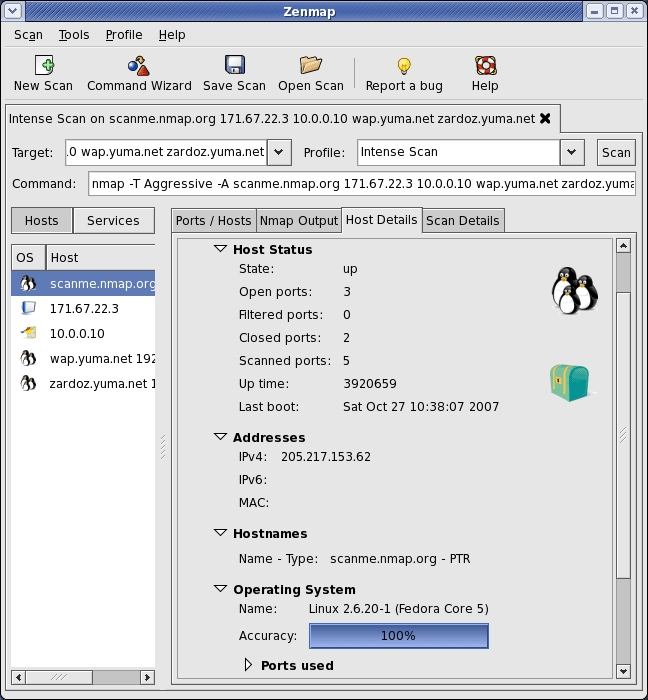
Nmap is a popular network discovery and security auditing tool used by many network professionals and ethical hackers for network asset inventory and service uptime monitoring, among other tasks. It’s free and open source and works by sending raw IP packets (TCP, UDP, ICMP, ARP, etc.) to a target network to identify what assets are present.
While Nmap is primarily an internal network discovery tool, it’s also used in external cyber reconnaissance as it can discover live hosts (including cloud servers, virtual machines, and other remote hosts), open ports, the services running on those ports, and the operating systems they are using.
For users who prefer to work with a GUI rather than the command line, Nmap has a GUI called Zenmap.
Nmap Pros
- Has a massive library of scripts (Nmap Scripting Engine) that extend its functionality.
- Go-to tool for deep network analysis.
- Highly customizable.
- Free to use.
- Well documented and supported.
Nmap Cons
- Has a steep learning curve and can be complex to use for beginners.
- It’s a command-line-first tool, so it requires a good understanding of networking concepts to get the best results.
- It can be slow, especially for very large scans.
- Nmap’s default scan settings can be easily detected by intrusion detection systems (IDS) and firewalls, which could trigger security alerts.
2. RapidFire Tools’ Network Detective Pro
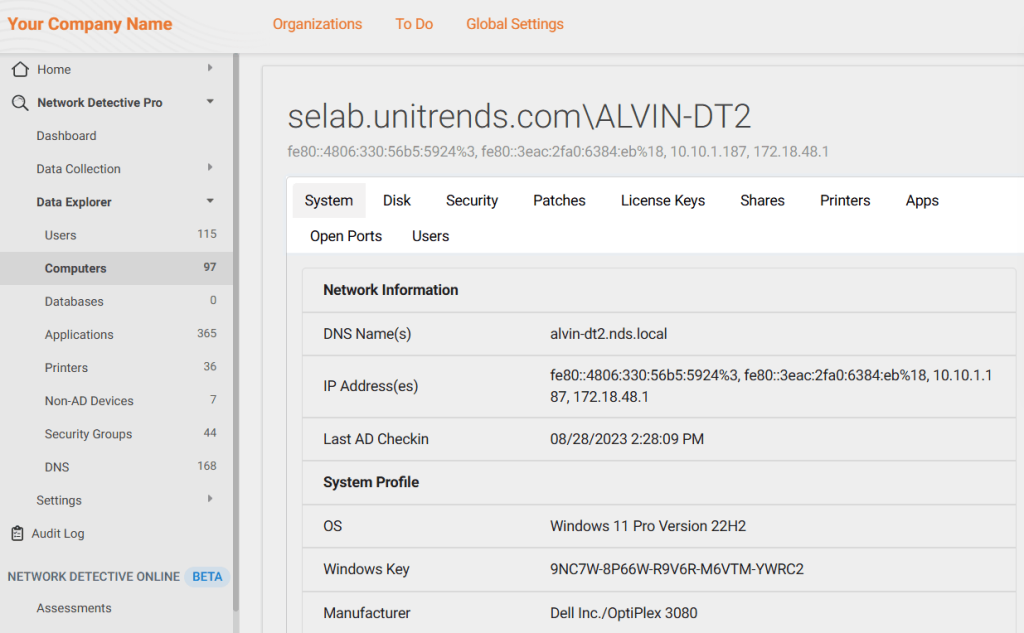
RapidFire Tools provides a suite of solutions focused on automating IT assessments and network discovery, and Network Detective Pro is one of them. This platform collects data across an organization’s various IT environments using 10 different modules that perform different scans, namely:
- LAN scan
- Computer scan
- End-user-initiated scan
- Cyberattack risk scan
- Cloud scan
- External vulnerability scan
- Exchange scan
- SQL scan
- Dark web scan
- Datto unified continuity scan
Pricing is not publicly available — you need to request a personal quote — but other sources cite per-instance or per-site pricing. On AppDirect, for example, a one-year contract is priced at $11,976 per instance (inclusive of 50 sites).
RapidFire Tools Pros
- Automates a lot of network assessment tasks, such as network sweeps, domain audits, vulnerability checks, and asset inventories.
- Offers customizable and easy-to-understand reports.
- Helps with security risk scoring and compliance documentation.
RapidFire Tools Cons
- Focuses more on reports rather than analysis.
- Initial setup requires assistance from customer support.
- Some users complain about the amount of work needed to delete a site.
- Quite costly, especially for organizations with large environments.
3. Auvik
Auvik is a cloud-based network monitoring and management platform that automatically identifies and maps all network devices, including routers, switches, servers, and wireless access points, providing a real-time visual representation of the network topology. Auvik also provides more than 60 preconfigured alerts for network issues, making IT asset management easier.
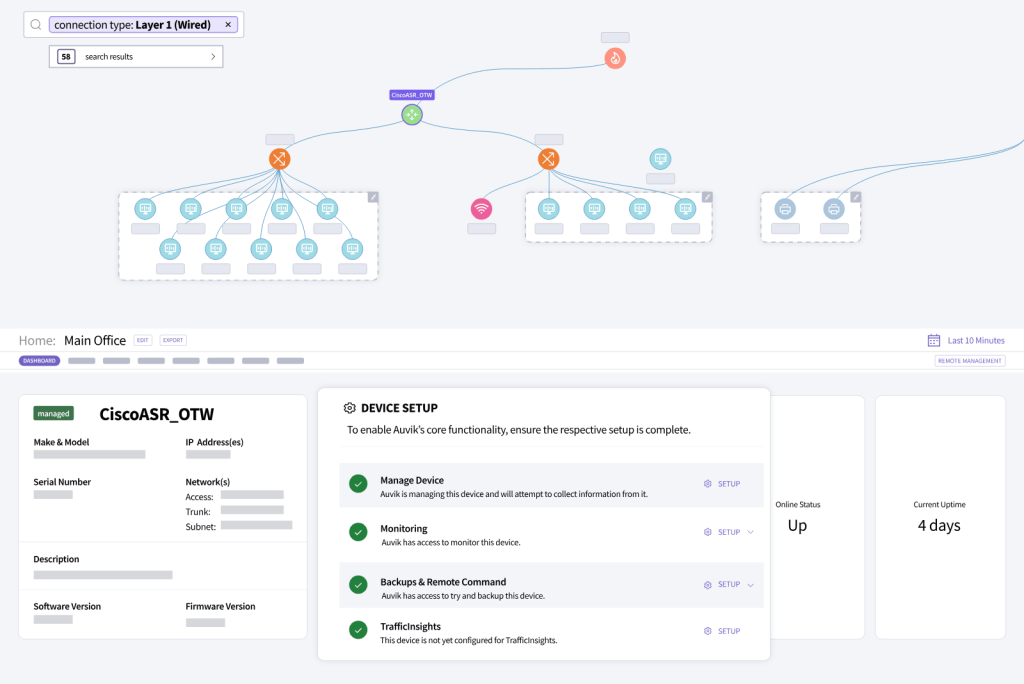
Pricing depends on the number of billable devices (i.e., network devices, IT infrastructure devices, and edge devices, excluding devices like wireless access points, printers, and uninterruptible power supplies). However, Auvik doesn’t publish its rates. They do offer a 14-day free trial though. They also have example scenarios where a small business with five network devices, five servers, and 100 workstations is billed $315 USD per month, while a mid-sized company is billed $1,250 USD per month.
Auvik does not have cloud infrastructure discovery capabilities. However, it offers a separate SaaS management platform for tracking SaaS apps.
Auvik Pros
- Clean and intuitive interface.
- Provides a live topology view, which is helpful for troubleshooting.
- Automatically backs up device configurations.
Auvik Cons
- How billable devices are counted can be confusing.
- Deployment can be complex, requiring proper configuration of SNMP and other asset discovery methods.
- Some users report that Auvik sometimes has trouble identifying or scanning certain devices.
4. Zabbix
Zabbix is an open-source monitoring solution for networks and applications, with auto-discovery capabilities. It collects data on IP addresses, network services, servers, and other sources and then adds these discovered devices to its monitoring dashboard. It’s able to discover and track almost any type of internal asset — including servers, virtual machines, and network devices — using both agent and agentless methods. Zabbix also offers anomaly detection and auto-remediation capabilities (e.g., restarting services.)
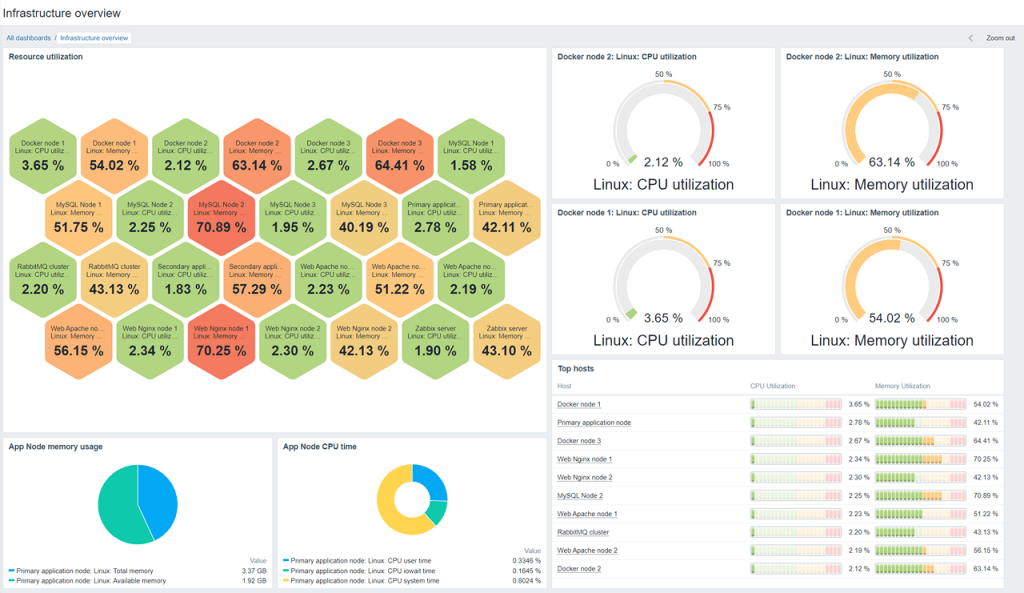
Zabbix On-Premise is free to use since it’s open source, but there’s also a SaaS application version called Zabbix Cloud with a five-day free trial offer. It has seven pricing tiers, starting from $50 per month with 10 GB storage (Nano) and going all the way to $5,000 per month (2xLarge).
Zabbix also offers an agentless cloud monitoring feature that integrates with AWS, Azure, Digital Ocean, and other cloud environments to discover cloud services, instances, containers, and virtual machines.
Zabbix Pros
- With proper configuration, Zabbix can cover almost any monitoring use case — from network and server discovery to anomaly detection, alerting, and even auto-remediation.
- Scales very well as your organization grows.
- Very customizable and can be tuned to your specific needs.
Zabbix Cons
- Zabbix can be time-consuming to set up and configure initially.
- The GUI may take some time to get used to, and you may need to figure out how to make custom dashboards and filter alerts.
- The database can become very large as the number of scans increases.
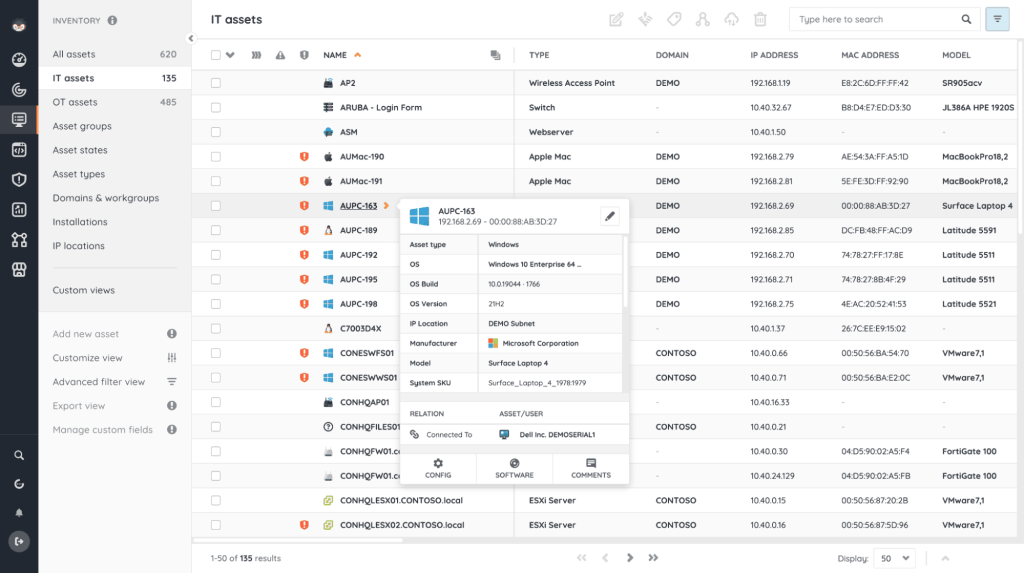
5. Lansweeper
Lansweeper is a comprehensive IT asset management platform that automatically discovers all hardware and software on your network. It’s agentless, so it doesn’t require any software to be installed on the endpoints. It provides a detailed, up-to-date inventory of everything from laptops and servers to network devices and printers. It also tracks software licenses and can audit your systems for vulnerabilities. In addition to finding local network assets, Lansweeper can also discover cloud assets across Microsoft Azure, Amazon Web Services, and Google Cloud Platform
Lansweeper has a free tier for small networks with 100 assets or fewer. Its cheapest paid tier is the Starter plan, priced at €199 (or $219 in the US) per month, followed by the Pro plan at €359 (or $399 in the US) per month. Both plans cover 2,000 assets but differ in the number of installations and the type of support. The Pro plan also scales up to 9,000 assets if needed. An Enterprise plan with custom pricing is available for organizations with a minimum of 10,000 assets.
Lansweeper Pros
- Customizable reporting capabilities.
- The paid plans allow users to group assets and customize asset types for better management.
- Similar internal asset discovery scope to other paid options, but Lansweeper is usually cheaper (although some users have complained about a steep price increase).
Lansweeper Cons
- More suitable for small to medium-sized organizations because of the pricing model.
- Limited integration for the Starter plan, with Marketplace Apps available only for higher tiers.
- Some users report issues with deployment and failed scans.
Tools for External Asset Discovery
1. Attaxion
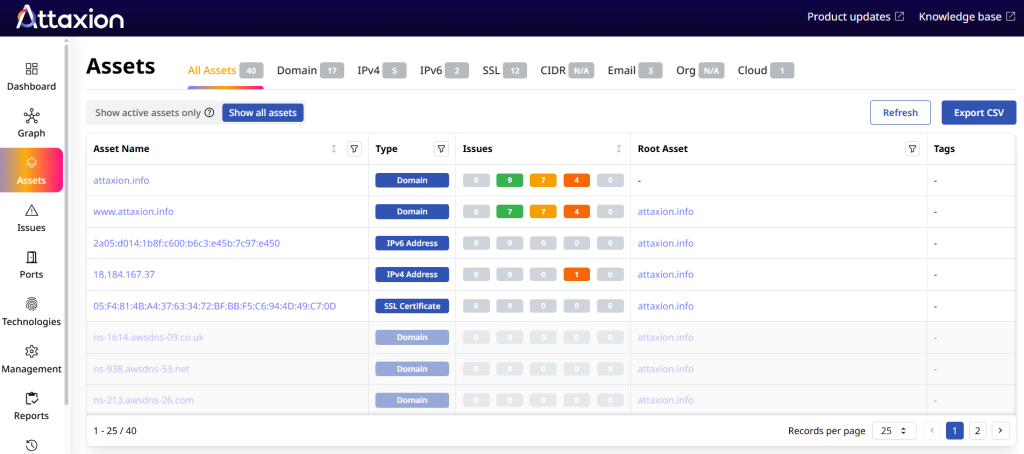
Attaxion is an agentless exposure management platform with the broadest external asset discovery coverage. It finds internet-facing assets like web servers, domains, subdomains, SSL certificates, and cloud services — including shadow IT and forgotten assets that could be exploited.
Attaxion offers a 30-day free trial and a free Cyber Asset Finder tool for a quick preview of your public-facing assets. It has four pricing plans, with the Starter plan as the cheapest option at $129 per month for up to 40 assets. The Plus plan is priced at $349 per month for 120 assets, while the Business plan is priced at $949 per month for 360 assets. For companies with a larger external attack surface, Attaxion offers an Enterprise plan with custom pricing.
Attaxion Pros
- Relies on agentless asset discovery combining modern reconnaissance techniques and various open-source and closed-source intelligence.
- Provides continuous, near real-time asset discovery and technology fingerprinting.
- Has cloud connectors with AWS, Azure, GCP, and DigitalOcean that pull lists of cloud assets via APIs.
- Users report that the platform is easy to use and provides a good overall view of their cyber posture.
Attaxion Cons
- Fewer integrations than other commercial external IT asset discovery tools.
- Some users find the platform’s reporting and alerting capabilities limited.
2. OWASP Amass
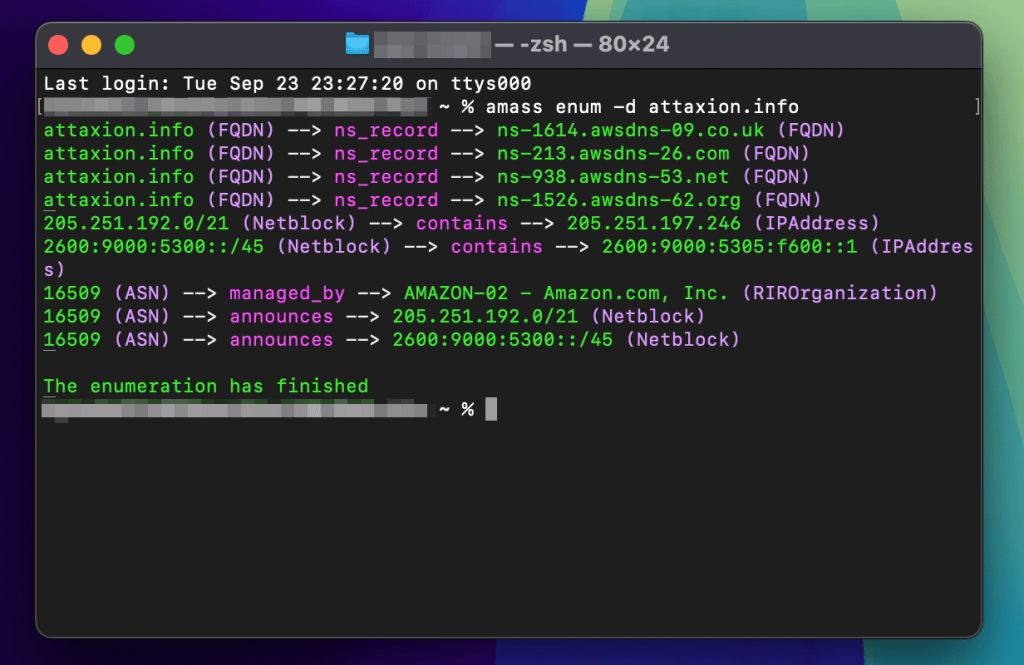
OWASP Amass is a free and open source command-line tool for external asset discovery. It is widely used by security professionals and bug bounty hunters for reconnaissance, and various cybersecurity platforms also rely on the tool.
Amass uses a variety of OSINT-gathering techniques to find and map an organization’s attack surface. It is good at finding subdomains, associated IP addresses, and other network assets by collecting information from different public sources.
Amass is an OSINT-focused tool, so it doesn’t have cloud connectors.
Amass Pros
- Very popular, well maintained, and supported by the OWASP community.
- Combines many reconnaissance techniques.
- Can create a visualization of discovered assets, making it easier to spot anomalies.
Amass Cons
- While basic configuration is straightforward, customizing the tool can be complex and requires significant technical knowledge.
- Its full functionality can only be unlocked when you have API keys for paid APIs.
- Some users feel it can be cluttered compared to other tools.
3. Assetfinder
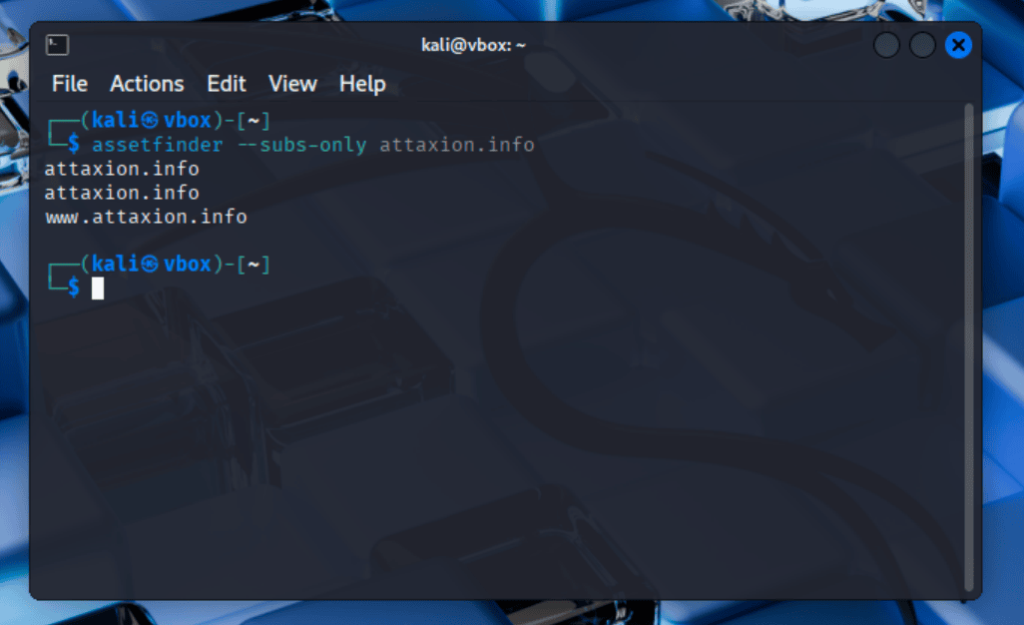
Assetfinder (not to be mistaken with Attaxion’s Cyber Asset Finder online free discovery tool) is a free and open source command-line tool designed for subdomain enumeration. It aids security researchers and penetration testers in the reconnaissance phase of a security assessment by finding domains and subdomains associated with a specific target domain. This passive discovery tool uses various data sources, such as certificate transparency logs, passive DNS databases, social media, and threat intelligence.
Assetfinder Pros
- One of the fastest subdomain enumeration tools.
- Aggregates data from multiple sources to increase coverage and accuracy.
Assetfinder Cons
- Must be used with other tools for a comprehensive assessment since it only covers subdomains.
- Not as comprehensive as more advanced tools, since it’s a simple command-line tool with no additional features or a graphical interface.
- Hasn’t been updated in over six years
4. Subfinder
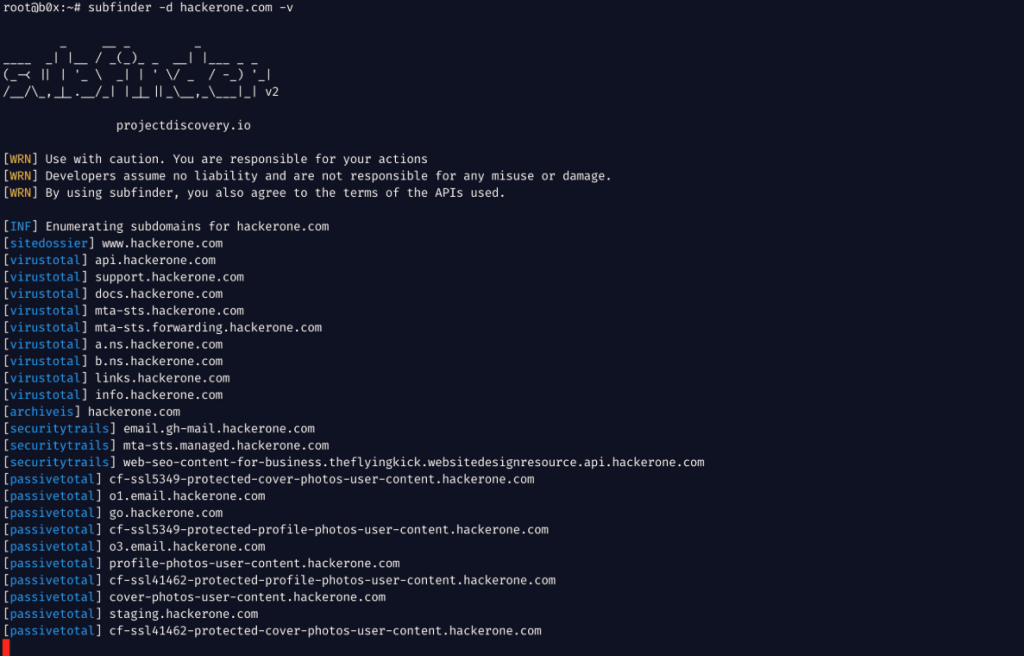
Subfinder is a free and open source subdomain discovery tool from ProjectDiscovery. It uses various passive reconnaissance techniques and relies on third-party APIs for additional services to work.
Subfinder is free to use, although you may need API keys from those third parties if you want to access a wider range of data.
Subfinder Pros
- Fast — it can cover large cloud environments in a fraction of the time required by other solutions.
- Well-supported by the cybersecurity community.
Subfinder Cons
- Has lower asset coverage than other options due to its relying solely on passive scanning.
- Access to third-party services that improve performance may come at a cost.
5. Censys Search
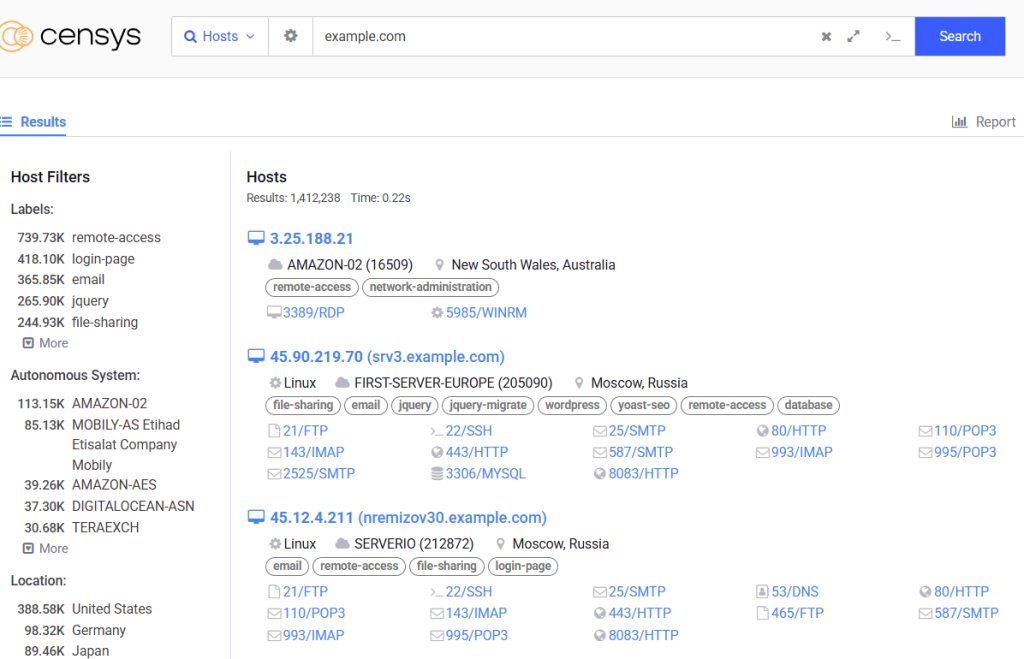
Censys Search is a platform that continuously scans and indexes the entire public internet, providing a powerful search engine for external assets. You can use it to find and monitor hosts, websites, and devices related to your organization. Censys allows you to automatically discover publicly exposed assets, identify misconfigurations, and find out-of-date or vulnerable services.
Censys offers a free tier with limited queries per month. Paid plans are available within the Censys Pro platform, which has more features and higher usage limits. There are three tiers — Starter, Enterprise, and Threat Hunting — but only the Starter plan has a published price ($100 per month for 500 queries).
Censys Search Pros
- Has a user-friendly and intuitive interface.
- It’s free (with significant limitations).
- Provides in-depth information on assets, although you have to sign up to see everything.
Censys Search Cons
- The free option has very limited coverage compared to other similar platforms like Attaxion’s Cyber Asset Finder.
- All plans only have community support. Enterprise-level support, also called Gold Support by Censys, is available as an add-on for higher tiers.
- Visualization and dashboards are only available for the Threat Hunting plan.
Conclusion
The most extensive and accurate asset inventory requires internal, external, and cloud IT asset discovery. Without an inventory that you can trust, you’ll be operating with blind spots that could expose your organization to significant risk.
The most important factor to look for when selecting an asset discovery tool is its coverage — does the tool allow you to see everything you have? Usability is also a key parameter, as a powerful tool is only effective if the IT team can master and implement it efficiently and keep using it to maintain the inventory.
You’ll need separate tools for discovering internal and external assets, and ideally, those tools must have cloud coverage.
For external asset discovery, Attaxion is a strong option since it has the widest coverage, cloud connectors, and user-friendly dashboards — while still being relatively inexpensive. Zabbix appears to be a dependable tool for internal asset discovery, and many users have good things to say about it once they get past the initial configuration.