



A vulnerability report with no critical findings feels great, but it might just mean your scanner has just scratched the surface. This is because traditionally, external vulnerability scanners run unauthenticated scans — they do not try to log into the app and cannot reach anything that’s sitting behind login pages, where broken access controls and logic flaws tend to hide.
Other scanners — including the one Attaxion uses — can behave like users and log in to apps with login credentials, running authenticated vulnerability scans. This post breaks down what authenticated and unauthenticated scanning mean for web applications, how they differ, and why most security teams end up using both.
TL;DR
An authenticated vulnerability scan logs into your web application with valid credentials and scans logged-in areas it can reach for vulnerabilities. An unauthenticated scan checks only what’s publicly visible, with no login involved.
It’s best to use both to get better visibility into web app vulnerabilities while keeping a perspective on which issues can be exploited by everyone and which can only be accessed by logged-in users.
| Factor | Unauthenticated Scan | Authenticated Scan |
| Login credentials | Not needed | Required |
| Depth | Surface level | Deeper, includes logged-in areas of the application |
| Scan context | Limited to what’s publicly visible | Access to logged-in workflows, permissions, and user-specific areas |
| Setup effort | Minimal | Requires additional configuration |
| Best for | Perimeter exposure assessment, finding issues visible to everyone | Getting a more complete picture of a web application’s vulnerabilities |
What Is Authenticated Vulnerability Scanning?
Authenticated vulnerability scanning is a type of vulnerability scanning where the scanner logs in to your application or server using valid credentials you provide, then checks the parts of the app or infrastructure only a logged-in user can access. It’s also called credentialed scanning or scanning behind login.
It simulates the perspective of a logged-in user or a threat actor who has obtained login credentials and can now access account dashboards, admin panels, settings pages, and potentially sensitive user data.
What an authenticated scan can discover:
- Pages and features only visible after login
- Session handling and token management
- Broken access control, meaning whether one user can see or edit another user’s data
- Workflow-related issues that only show up once someone is logged in
- Input validation on forms that are behind a login
- Role-based permission issues (e.g., a standard user with admin-only controls)
How Authenticated Vulnerability Scanning Works
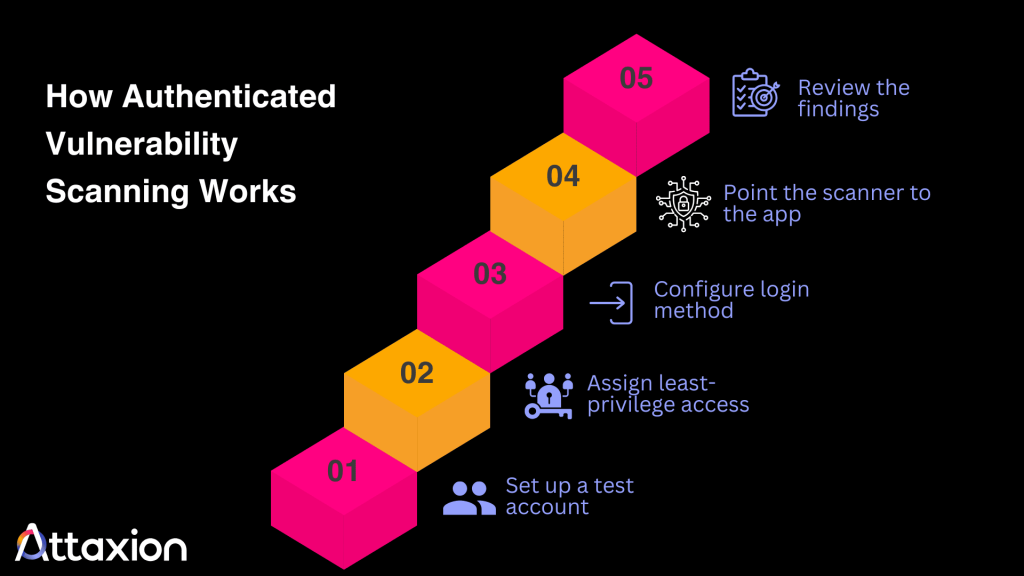
- Set up a dedicated test account (not a personal or shared admin login) for the scanner to log in with.
- Assign the least-privilege level of access, just enough to reach the web app areas you want to scan. For admin-only workflows, use a separate test account in a safe environment.
- Configure the login method the scanner will use. For example, Attaxion supports basic HTTP authentication and form-based authentication — choose the method your application uses.
- Point the scanner at the app and let it crawl both the public and logged-in areas.
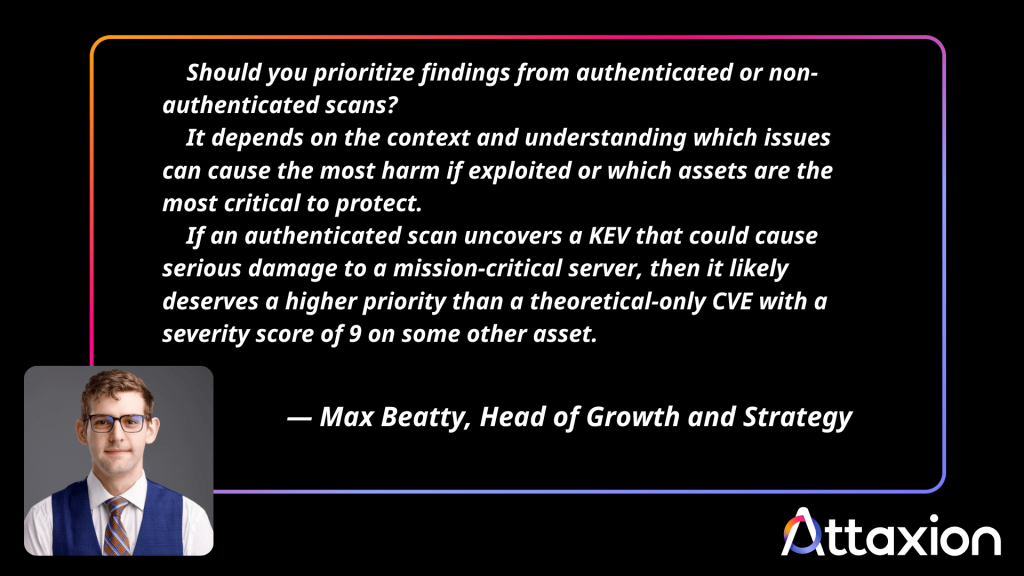
- Review the findings and prioritize. Authenticated scans tend to discover more vulnerabilities, simply because they can see more of the application. Not every finding deserves the same urgency though, so prioritize based on context — which issues could cause the most harm if exploited?
What Is Unauthenticated Vulnerability Scanning?
Unauthenticated scanning is a type of vulnerability scanning that checks a web app without logging in. The scanner works with whatever is visible to anyone, taking on the view that an outside visitor gets without any login credentials needed.
What the vulnerability scan can discover
- Missing or weak HTTP security headers
- Expired certificates, weak HTTPS configuration, insecure redirects, or missing HSTS
- Exposed admin panels or login pages
- Publicly exposed files and directories
- Public API issues (e.g., unauthenticated API endpoints, verbose error messages)
- Sensitive data returned without login
- Fingerprintable technologies (e.g., web server, CMS, framework, JavaScript library)
How Unauthenticated Vulnerability Scanning Works
- Identify the external-facing assets to scan (public IPs, domains, web apps).
- Configure the scan scope and intensity.
- Run the scan against the target.
- The scanner fingerprints services and compares them against known vulnerability databases.
- Review the results.
Authenticated vs. Unauthenticated Scans: Key Differences
Both authenticated and unauthenticated scans are useful types of vulnerability scanning that help strengthen an organization’s security posture. An unauthenticated scan tells you what’s visible to anyone, including a threat actor who hasn’t logged in. An authenticated scan tells you what’s happening behind the login, where a real user account has access.
The table in the intro breaks down the specifics side by side, but a few of those differences are worth unpacking.
- Access level and depth. Since an unauthenticated scan has no login, it can only test what’s already public. An authenticated scan gets past the sign-in screen, so it reaches user dashboards, account settings, and admin functions that won’t show up in a surface-level check. More access means more of the application actually gets tested. If the entire web app is hidden behind authorization, the unauthenticated scanner would barely see anything at all.
- Scan context helps the scanner confirm findings. Without authentication, the scanner only works with publicly visible elements, so some findings are based on assumptions about how the app behaves behind the scenes. With credentials, it can verify findings against logged-in workflows, permissions, and user-specific behavior, so results are based on more context.
- Differences in setup effort, but minimal. Unauthenticated scanning requires almost no configuration since there’s nothing to log in to. Authenticated scanning takes a bit more work up front, mainly setting up a test account and the login method the scanner will use.
- Authenticated scanning covers all parts of your web application’s public-facing exposure. Unauthenticated scanning checks parts of the application that are visible without logging in, such as outdated software banners or missing security headers. Authenticated scanning covers all of that, plus what’s behind the login, including issues such as whether one user can access another user’s data.
Benefits of Authenticated Scanning
None of the above differences between authenticated and unauthenticated vulnerability scanning makes one scan type better than the other. They’re built to answer different questions, which is exactly why most programs end up running both.
Besides, authenticated scanning doesn’t exist on its own. Any scanner built to handle credentials can just as well run unauthenticated checks. Below are some of the benefits for organizations that decide to turn on authenticated scanning on their web applications.
Build a More Complete Risk Assessment
Unauthenticated scans catch what’s visible from the outside, which is important for your public-facing exposure. On the other hand, authenticated scans catch what’s hidden behind a login, which matters for issues that only show up once someone’s signed in.
Using only one view leaves a major blind spot. A web app can look secure from the outside while still carrying broken permissions, privilege escalation, exposed data, or logic flaws that only an authenticated scan would catch.
Support Compliance
Some standards call for both authenticated and unauthenticated testing on web applications. Examples include:
- NIST SP 800-53’s RA-5 control mentions web-based application scanners as a tool for vulnerability detection and monitoring, alongside static and binary analysis. RA-5(5) also calls for privileged access during scanning.
- CIS Critical Security Control 7.5 requires that internal enterprise assets be scanned quarterly using both authenticated and unauthenticated methods. It doesn’t call out web applications by name, treating them as one asset type among many, but Control 16 (Application Software Security) separately addresses web app testing through authenticated penetration tests under Safeguard 16.13.
It’s worth noting that requirements vary by industry and by what data the application handles. If your organization runs web applications, check whether your specific compliance framework expects authenticated testing of those applications as well.
Improve Prioritization and Remediation
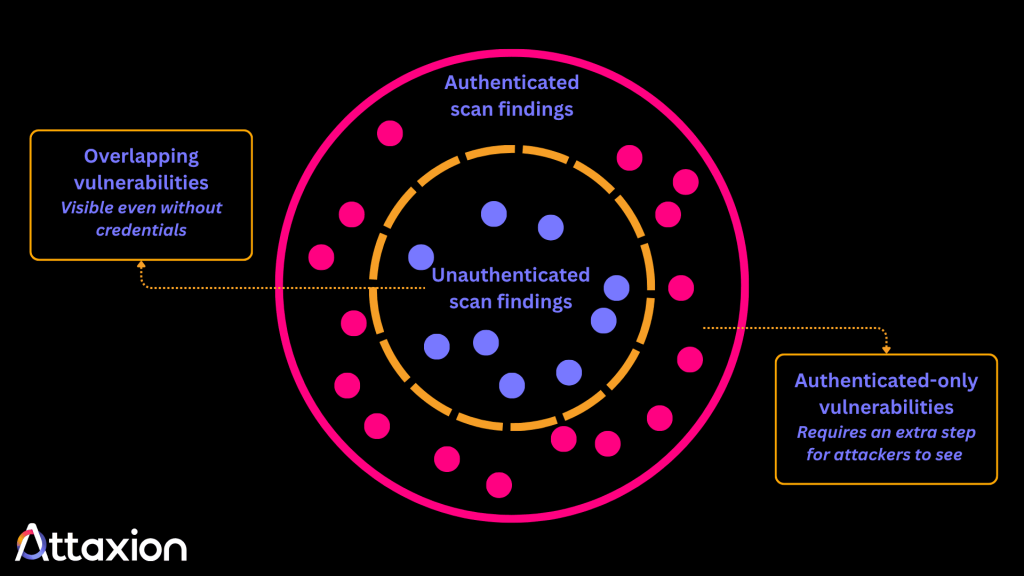
Knowing which vulnerabilities are found behind a login helps you prioritize fixes. If a finding only appears in areas that require authentication, an attacker must first obtain valid credentials to access it. That’s an extra step that limits exposure.
If a finding is also reachable without logging in, the risk is higher since any threat actor can get to it. So, generally, vulnerabilities found by scans behind login have lower priority than those found during unauthenticated scans. However, this is just one of the prioritization parameters. Depending on their CVSS and EPSS scores and the asset criticality, one or the other may deserve first attention.
This context helps with remediation order, too. A vulnerability in a gated area of your app still needs fixing, but you likely have more time to work through it than one found on a public-facing endpoint.
How Attaxion Can Help
Attaxion is an exposure management platform that automatically finds web-facing assets and continuously scans them for vulnerabilities.
The platform supports both unauthenticated and authenticated scanning for web applications and servers. Attaxion supports two authentication methods:
- Basic HTTP authentication, for apps that use the browser’s built-in login prompt
- Form-based authentication, for apps with a standard username-and-password login page
There’s no heavy setup beyond configuring your login method, since Attaxion already handles asset discovery automatically.
Whether from an authenticated or unauthenticated scan, findings are enriched with CVE, CWE, and EUVD context. Attaxion also prioritizes results using CISA’s Known Exploited Vulnerabilities (KEV) catalog and EPSS scores, so your team isn’t working off a raw severity number alone.
Experience how Attaxion’s authenticated and unauthenticated scanning work together for your web app. Start your free trial now.