



Continuous compliance monitoring means using automated tools to assess your organization’s systems, policies, and security controls to ensure adherence to regulatory requirements. The continuous part means that you do this continuously, instead of scrambling once a year to prove you’re compliant (or failing to do so).
Done well, it makes audit prep far less of a disaster that almost completely stops the business during preparation time. With continuous compliance monitoring in place, the evidence is already collected and organized instead of gathered in a last-minute scramble right before the auditor arrives — which translates to fewer surprises during audits, lower security risks, and faster deals with customers who want proof of compliance.
In this blog, we discuss how you can implement continuous compliance monitoring as well as some of the most commonly used compliance automation tools you’d need to do so.
What Is Continuous Compliance Monitoring?
Continuous compliance monitoring is the ongoing practice of checking whether an organization’s systems, policies, and security controls meet the requirements of applicable compliance frameworks, rather than assessing them only before an audit.
It’s a relatively new thing, which proved to be necessary, because otherwise the audits proved to be completely overwhelming. Instead of a compliance officer manually pulling evidence every quarter, automated tools connect to your systems, cloud accounts, identity providers, code repositories, and other infrastructure components, then run tests continuously or on a set schedule.
When the platform confirms that a control works, that gets logged as evidence. When it fails, the platform flags it so someone can fix it before an auditor ever sees it.
Why Is Continuous Compliance Monitoring Important?
According to the PwCs 2025 Global Compliance Survey, 85% of survey participants agree that compliance requirements have become more complex in the last 3 years. What previously could do with basic manual processes, now requires automation. And that’s just one reason for implementing continuous compliance monitoring. Below are a few more:.
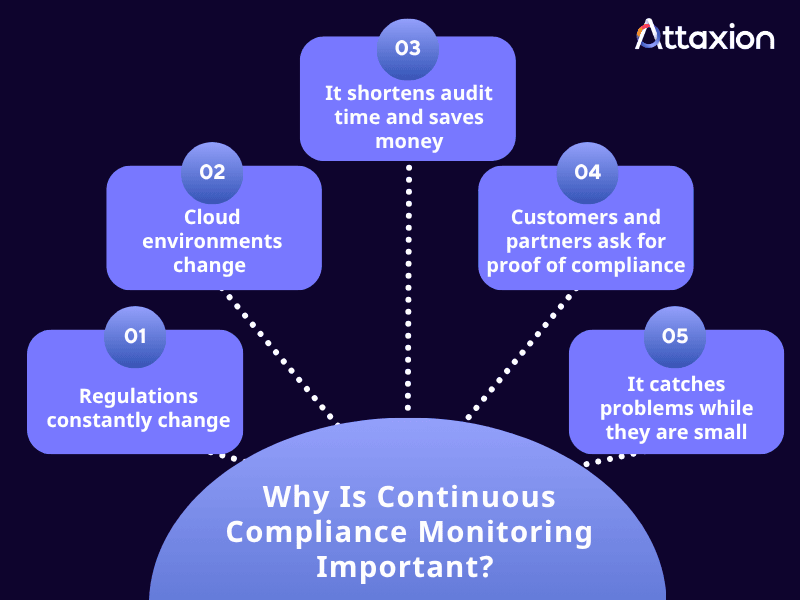
- It saves time: Continuous compliance monitoring prevents accidentally failed audits and turns audit prep into a regular procedure since nothing gets overlooked just because someone didn’t have time to check it. It means the organization is actually ready when the audit comes, instead of finding out too late that a control has failed.
- Regulations constantly change: Continuous compliance monitoring flags where your current setup falls short as soon as a regulation or framework requirement changes, allowing you to see what needs to be changed to remain compliant. The same PwC report mentioned above names regulation changes as the second most prominent factor influencing compliance investment decisions.
- Cloud environments also change constantly: A new storage bucket, a misconfigured permission, or a forgotten server can create a compliance gap the moment it appears. Waiting for the next audit to find it is too slow.
- Customers and partners ask for proof of compliance: Enterprise buyers increasingly want to see current compliance status before signing a contract. A live dashboard or trust center shows where things currently stand and demonstrates the organization’s effort to stay compliant.
- It catches problems while they are small: A misconfigured control caught in week one can be quickly fixed. The same issue found during an annual audit can mean a failed test or a much bigger cleanup job.
How Continuous Compliance Monitoring Works
Compliance teams can’t do continuous compliance monitoring manually. It takes tools that can automatically discover what is in your environment, understand the policies and controls you already have, assess whether those controls are enough to meet a framework, and continuously test that they are actually working. At a high level, these compliance automation tools follow a similar pattern, regardless of the framework involved:
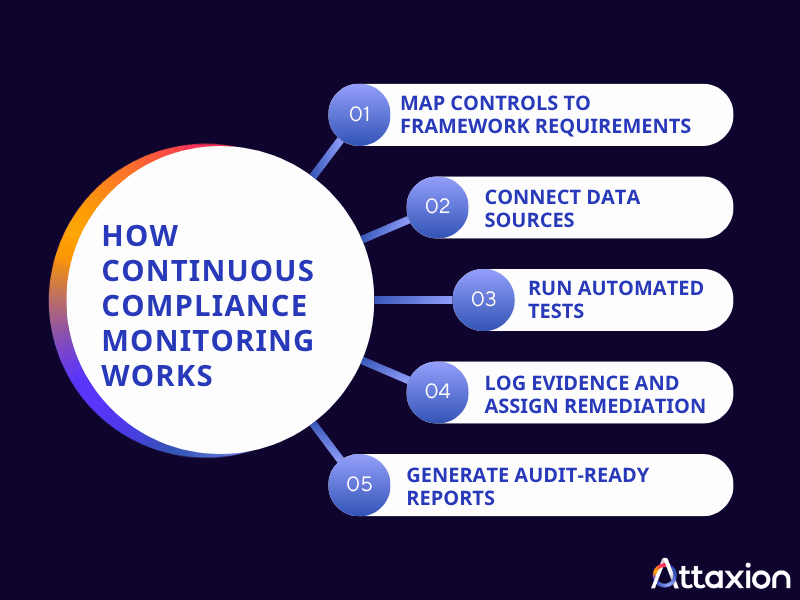
Step #1: Map Controls to Framework Requirements
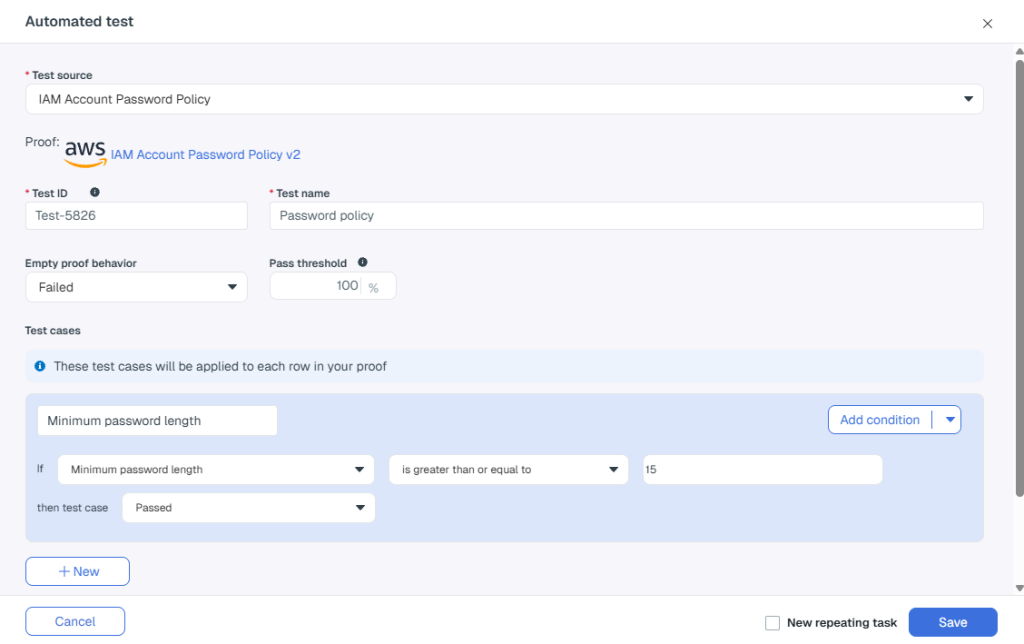
Each requirement in SOC 2, ISO 27001, HIPAA, or another standard is mapped to one or more technical or procedural controls. Many platforms let you cross-map a single control to multiple frameworks, so you configure it once, and it counts everywhere it applies.
Step #2: Connect Data Sources
Teams connect compliance automation platforms to other systems that feed them different types of data, including:
- Cloud platforms: AWS, Azure, Google Cloud, and other similar platforms provide configuration settings, encryption status, network rules, and access permissions for cloud resources.
- Asset inventories and configuration management database: While some compliance automation platforms can discover assets on their own, they also work well when connected to a dedicated tool that continuously feeds them newly discovered assets, such as an asset inventory or CMDB, or to an exposure management platform such as Attaxion, which continuously discovers more external, internet-facing assets than other similar tools.
- Endpoint and mobile device management (MDM) tools: These add device-level data, such as disk encryption, screenlock settings, OS patch status, and antivirus coverage.
- Vulnerability scanners: Compliance automation platforms integrate with vulnerability scanners — or solutions like Attaxion with built-in scanners — to identify vulnerabilities, their severity, and which assets they affect.
- Identity providers: These feed data about user accounts, login activity, multi-factor authentication (MFA) status, and access permissions.
- Code repositories and CI/CD systems: These tools provide the compliance automation platform with information about branch protection rules, code review requirements, and deployment configurations.
- Ticketing systems: Compliance automation platforms connect to ticketing tools to track remediation status, assigned owners, and how long issues stay open.
- HR platforms: Employee onboarding and offboarding records (including security training completion) are also part of compliance monitoring, so HR-related systems are connected to compliance tools.
Step #3: Run Automated Tests
Once the systems are connected, the platform runs automated tests that check whether the control related to the collected data works in such a way that satisfies the mapped regulatory requirement. Here are a few examples:
| Test | What the compliance automation platform does | Mapped regulatory requirements |
| MFA enforcement | Checks your identity provider to confirm that MFA is enabled for all user accounts | – SOC 2 CC6.1 (Logical and Physical Access Controls) – ISO 27001 A.8.5 (Secure authentication) |
| Asset inventory completeness | Checks if all detected assets are properly accounted for, flagging anything unmanaged | – SOC 2 CC6.1 (asset inventory is a named point of focus) – ISO 27001 A.5.9 (Inventory of information and other associated assets) |
| Vulnerability remediation SLA | Checks whether a critical vulnerability was fixed within the timeframe the organization committed to. | – SOC 2 CC7.1 (identifying and addressing vulnerabilities as part of System Operations) – ISO 27001 A.8.8 (Management of technical vulnerabilities) |
| Access revocation | Checks whether a former employee’s access to corporate systems was revoked within a set window, say, 24 hours of termination date. | – SOC 2 CC6.2 (removing access when no longer authorized) – ISO 27001 A.5.18 (Access rights) |
| Cloud storage encryption | Checks whether a cloud storage bucket or database has encryption enabled and is not publicly exposed | – SOC 2 CC6.1 (encryption is a named point of focus) – ISO 27001 A.8.24 (Use of cryptography) |
| Endpoint security compliance | Checks whether a managed device has disk encryption and antivirus or EDR enabled | – SOC 2 CC6.8 (Prevention and detection of unauthorized or malicious software) – ISO 27001 A.8.7 (Protection against malware) – ISO 27001 A.8.24 (Use of cryptography) |
| Code change control | Checks whether a code repository requires branch protection and a peer review before merging to production | – SOC 2 CC8.1 (Change management) – ISO 27001 A.8.32 (Change management) |
| Remediation task closure | Checks whether a remediation task logged in a ticketing system was closed within the timeframe the organization committed to | – SOC 2 CC7.1 (identifying and addressing issues as part of System Operations) – ISO 27001 A.5.25 (Assessment and decision on information security events) |
Step #4: Log Evidence and Assign Remediation
Whether controls pass or fail the tests, it is logged, creating a dated record that the internal controls team can reference. Specifically, when a control fails the test, the platform can create a remediation task, assign an owner, and track it until it is resolved.
These logs aren’t only for record-keeping. They are proof of when the issue was first discovered and how quickly it was remediated, which internal stakeholders care about when tracking team performance, and which several compliance frameworks expect to see within a defined timeframe.
Step #5. Generate Audit-Ready Reports
Dashboards and reports pull all of this together into a real-time compliance status view. Note that this is not the audit report itself since that should still come from a licensed CPA firm or accredited certification body. However, these reports give compliance teams an organized evidence package, with each control mapped to framework requirements, that the auditor can review directly instead of requesting evidence one control at a time, which is what actually speeds up the audit.
8 Compliance Automation Tools Commonly Used for Continuous Monitoring
Compliance automation tools take the manual work out of proving compliance. Instead of using a spreadsheet and a folder full of screenshots, teams use these tools to connect to their organization’s infrastructure, run automated control tests, collect evidence regularly, and give you a real-time view of where things stand. When it’s time for an audit, that same platform becomes the collaboration space where the team and the auditor communicate and review findings together.
These tools need to ingest data from a lot of sources, including asset inventory and vulnerability data. For example, you can pair them with Attaxion, which would cover the external asset discovery and vulnerability scanning part.
1. Vanta
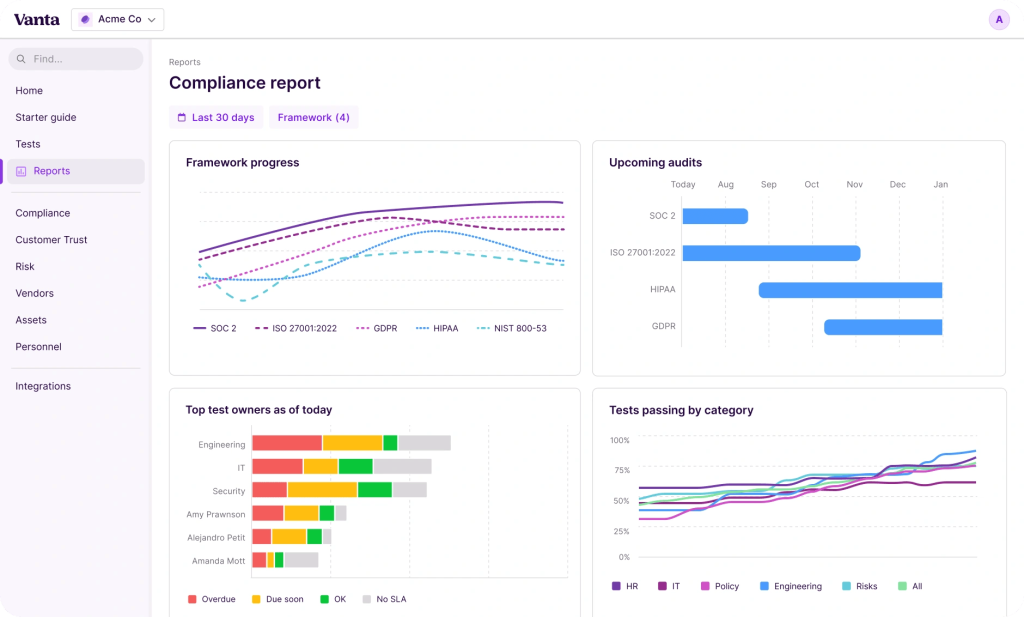
Vanta is one of the most widely used compliance automation platforms. Its agentic AI features draft policies and flag compliance gaps automatically. Its Trust Center lets you share real-time security posture with prospects, so you won’t have to send a static PDF.
No. of supported frameworks and standards: 35+
No. of integrations: 400+
Pricing: Vanta’s prices are quote-based, but G2 estimates are between $26k and $45k.
What users say: G2 and Gartner reviewers consistently highlight the platform’s ease of use, fast evidence collection, and strong integration coverage. The most common complaints involve pricing that climbs as you add frameworks or headcount, plus a steep learning curve around some of the more advanced workflows.
2. Drata
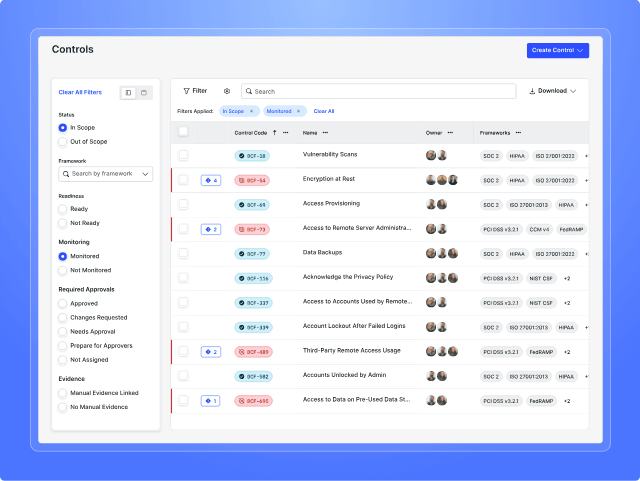
Drata is a GRC and compliance automation platform (actually, two platforms, because it has also acquired SafeBase). Its AI features for vendor risk management and security questionnaires stand out. It also includes an auditor collaboration workspace that keeps evidence requests and approvals in one place instead of scattered across email.
No. of supported frameworks and standards: 30+
No. of integrations: 300+
Pricing: Pricing isn’t publicly listed, but the estimated price range on G2 is at $21k to $44k per year.
What users say: Drata users on G2 and Gartner regularly praise the level of automation the platform provides, the clarity of its dashboard, and responsive support. Some reviewers note that initial setup and control mapping across multiple frameworks takes time, and that the volume of alerts can be overwhelming until you tune it.
3. Secureframe
Built for automating evidence collection and control testing across frameworks, Secureframe stands out for deep AWS support and hands-on onboarding. Its Comply AI and AI Evidence Validation features add automated risk assessment and cross-framework evidence checks. It also has a separate Defense tier that automates Cybersecurity Maturity Model Certification (CMMC) compliance for government defense contractors.
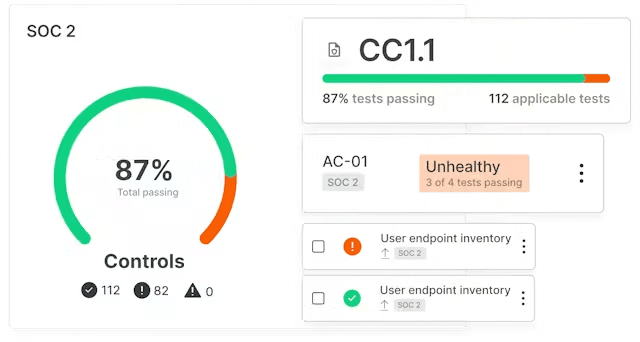
No. of supported frameworks and standards: 30+
No. of integrations: 300+
Pricing: Secureframe offers three plans — Fundamental, Complete, and Defense. Fundamental is the most basic tier (limited to one framework and one automated test only) and is the only tier with publicly available pricing starting at $5,000 per year.
What users say: Secureframe is highly rated on G2 and and Gartner. Reviewers like the quality of customer support and how easily the platform turns compliance into a structured, repeatable process. A recurring criticism is that it sometimes feels rigid or limited in complex environments because some workflows aren’t flexible. There’s also a steep learning curve in understanding how controls, tests, and evidence connect.
4. Sprinto
As an autonomous, AI-driven compliance automation platform, Sprinto’s standout feature is its AI compliance co-pilot, where you can upload a regulation, contract, or internal policy, and in turn, the AI helps teams draft documentation and answer questions. It also creates structured and verifiable controls, keeps those controls mapped as requirements change, and triggers workflows.
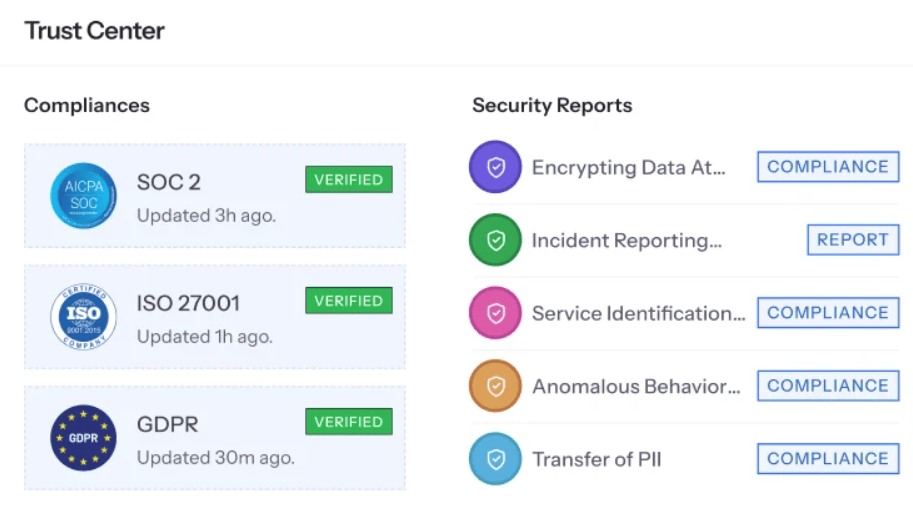
No. of supported frameworks and standards: 200+
No. of integrations: 300+
Pricing: Sprinto offers two plans for its Compliance Automation Product, namely Foundation and Growth, but their prices are not published on the site. However, an AWS Marketplace listing for one framework costs $2,000 per year.
What users say: G2 and Gartner reviewers highlight its ease of setup, responsive customer support, the amount of manual work the automation removes, and hassle-free integrations. However, some reviewers mention that initial integration setup can feel overwhelming for non-technical teams, and that some workflows and navigation could be more intuitive.
5. Thoropass
Thoropass, formerly Laika, bundles its software with in-house auditors, so a company can manage readiness, evidence collection, and the audit itself through a single vendor instead of having to get support from a separate CPA firm.
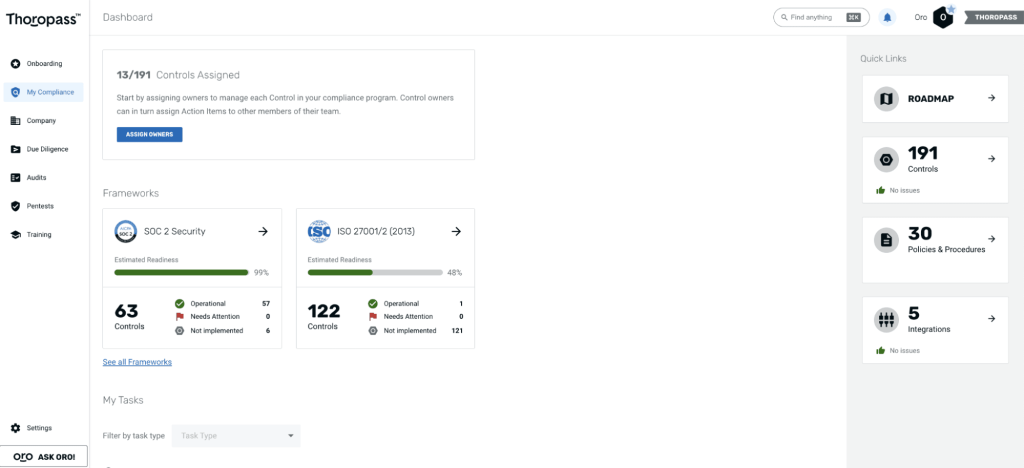
No. of supported frameworks and standards: 10+
No. of integrations: 100+
Pricing: Thoropass doesn’t publish its prices, but on AWS Marketplace, its Compliance Platform (software-only) is listed at $8,700 per year, while the Audit Subscription add-on (audits by in-house editors) is listed at $5,800 per year.
What users say: Thoropass users on G2 often mention responsive, knowledgeable support and a platform that is easy to navigate, even for first-time compliance managers. Some reviews note that the interface can feel crowded when tracking a large number of controls, and that automation depth is lighter than that of some competitors that only offer software (no auditors).
6. Scytale
Scytale is a compliance automation platform paired with human compliance experts. One of its standout features is its AI Remediator that flags control issues in real-time and provides step-by-step guidance on how to address those issues. Customers are also paired with a compliance expert so automated monitoring comes with hands-on guidance.
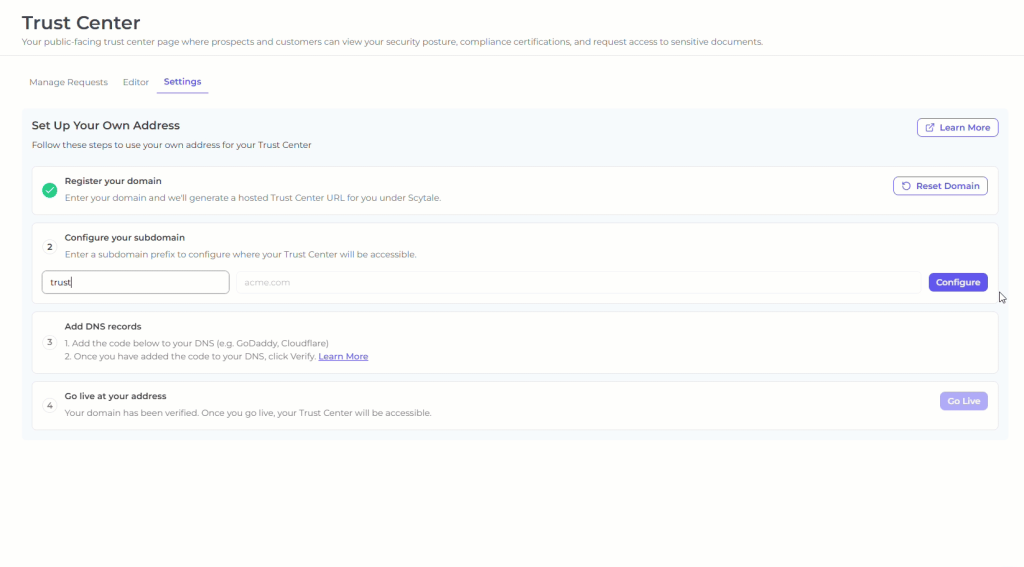
No. of supported frameworks and standards: 80+
No. of integrations: 100+
Pricing: Scytale offers separate plans for startups and security teams, but none of them have published prices. Its Compliance Automation Platform, listed on the AWS Marketplace, meanwhile, has seven dimensions (including a personal vGRC expert) that total a starting price of $70,300 per year. The platform itself starts at $7,500 per year for one framework.
What users say: Scytale reviewers on both G2 and AWS appreciate how helpful the support staff is, describing the guidance as a real differentiator for first-time SOC 2 or ISO 27001 certifications. A few reviewers note that automation for pulling infrastructure data, such as AWS configurations, can be inconsistent. There are also reports of integration issues.
7. Scrut Automation
Positioned as an AI-powered governance, risk, and compliance (GRC) platform, Scrut Automation offers AI agents, called Scrut Teammates, that can draft policies, collect evidence, and detect and assess risks. They can also help prepare for audits inside the Scrut Platform or an MCP-compatible client.
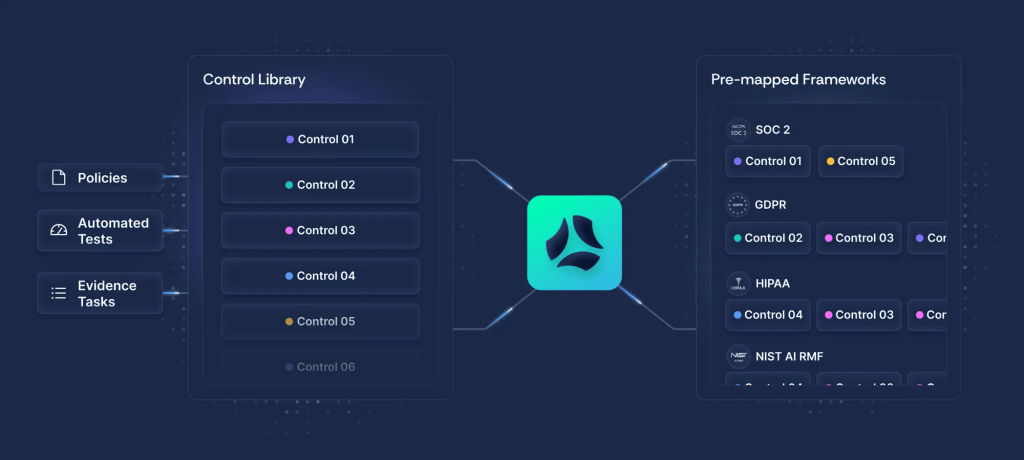
Source: https://www.scrut.io/platform/scrut-platform
No. of supported frameworks and standards: 60+
No. of integrations: 140+
Pricing: There’s no published pricing on Scrut’s website, but an AWS Marketplace listing says the platform costs $15,000 per year for up to 20 employees.
What users say: Scrut Automation is highly-rated on both G2 and AWS. Reviewers highlight the platform’s automated evidence collection, centralized dashboard, and responsive support as standout strengths. The most common criticism is the difficulty of onboarding, particularly with mapping controls and configuring integrations for teams new to compliance automation.
8. Hyperproof
Hyperproof Compliance Management takes a broader GRC approach than most tools on this list, tying risks directly to controls and remediation activities. It also includes a quantitative risk register and an auditor collaboration portal that lets a CPA firm pull evidence without emailing your team.
No. of supported frameworks and standards: 160+
No. of integrations: 200+
Pricing: Hyperproof doesn’t list its pricing plans on its website, but the estimated price on G2 is between $22,000 and $59,000.
What users say: Hyperproof users on G2 and Gartner praise its centralized approach to controls, risks, and evidence, along with strong collaboration features for cross-team audits. The most common complaint is a steep learning curve, especially for new users navigating large control libraries, along with limited customization in dashboards and reporting.
How Attaxion Helps with Continuous Compliance Monitoring
As an exposure management solution with external asset discovery and vulnerability scanning capabilities, Attaxion can act as a data source for compliance automation platforms, particularly for information about internet-facing assets and externally observable vulnerabilities that a compliance platform usually doesn’t cover on its own without an additional data source feeding it that information.
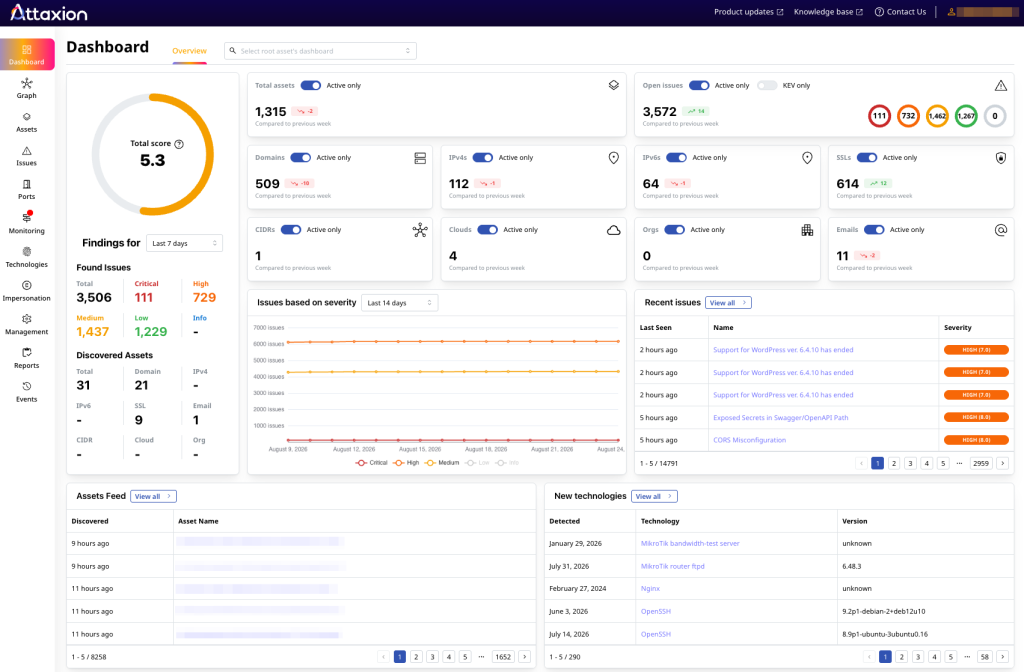
Attaxion continuously discovers external assets and checks them for vulnerabilities without requiring an agent on every endpoint. Its REST API exposes asset management, vulnerability, exposure, tagging, and annotation endpoints, so customers can pull discovered assets, infrastructure details, misconfigurations, vulnerabilities, and exposure data programmatically.
| Compliance requirement | Attaxion’s contribution | Example framework requirements |
| Maintain an inventory of externally accessible systems | Continuously discovered external asset inventory | – ISO 27001 A.5.9; – SOC 2 CC6.1; – PCI DSS Req. 12.5.1; – NIST CSF ID.AM |
| Perform recurring vulnerability scans | Ongoing assessment of internet-facing assets | – PCI DSS Req. 11.3; – ISO 27001 A.8.8; – SOC 2 CC7.1 |
| Identify unauthorized or unknown assets | Shadow IT and unknown asset discovery | – ISO 27001 A.5.9; – NIST CSF ID.AM-1 |
| Prioritize critical vulnerabilities | Severity, exploitability, KEV, and EPSS context | – PCI DSS Req. 6.3.1; – ISO 27001 A.8.8 |
| Monitor changes to external, internet-facing assets | New, changed, or disappearing assets, tracked over time | – SOC 2 CC7.2; – ISO 27001 A.8.16 |
| Demonstrate continuous monitoring | Time-stamped, recurring discovery and scanning results | – NIST CSF DE.CM; – SOC 2 CC7.2 |
The API can work cleanly as a vulnerability data provider to Vanta, Drata, or a similar platform, enabling the compliance monitoring tools to map:
- Assets: stable ID, hostname/domain/IP, asset type, ownership or tags, discovery source, first seen, last seen, and status
- Findings: stable finding ID, affected asset, CVE or issue category, severity, description, remediation, detected date, last observed date, and resolution status
- Risk context: CVSS, KEV status, EPSS, and asset interactions with known IoCs
- Audit logs: time-stamped system event logs related to asset discovery, vulnerability scanning, and other Attaxion activities
Attaxion works best as a complementary, upstream security tool for the compliance platform you’re using or plan to use — along with other data sources.
Book a demo with Attaxion experts to support your continuous compliance monitoring efforts with the best in class external asset discovery and vulnerability scanning.