



Open source has a massive footprint in the cybersecurity industry. For almost every security challenge, there is an open source project designed to solve it, and vulnerability management is no exception.
In this post, we’ll talk about eight free and open-source vulnerability management tools.
Let’s start with what the difference is between free and open-source.
Open source refers to software whose source code is available for anyone to inspect, modify, and enhance. While these tools often benefit from community contributions, many are also maintained by for-profit companies or non-profit foundations. Since everyone can download the code and compile it, open-source tools are inherently free to use. However, many companies offer paid versions or services on top of it, with better support or additional features.
Free vulnerability management tools (or rather, community tiers) are proprietary solutions offered at no cost, usually with specific limitations (e.g., a cap on the number of IP addresses or restricted features) to encourage users to try the tool and then upgrade to a paid version. However, if you are OK with the imposed limitations, some of the free community tiers can be perfectly usable as well.
So, free doesn’t necessarily mean open-source — and vice-versa. In this post, we’ll try to cover both though.
What Capabilities Should Open Source Vulnerability Management Tools Have?
There’s another pair of terms we need to clarify before we get to discussing the list of tools: vulnerability scanners and vulnerability management tools. And the problem is that they are almost always used interchangeably.
What vulnerability scanning tools do is for every asset, they identify weaknesses and generate a report. And that’s that. Usually, they can’t do anything beyond that, but they offer integrations to pass on scan data to some other tools that can make use of it.
On the other hand, vulnerability management tools ingest data from scanners, provide a historical record of your security posture, and facilitate the workflow required to fix vulnerabilities. They are designed for continuous scanning and vulnerability lifecycle management. They may or may not have built-in vulnerability scanners — usually, though, they do.
When we talk about vulnerability management tools, we mean those that have the following capabilities:
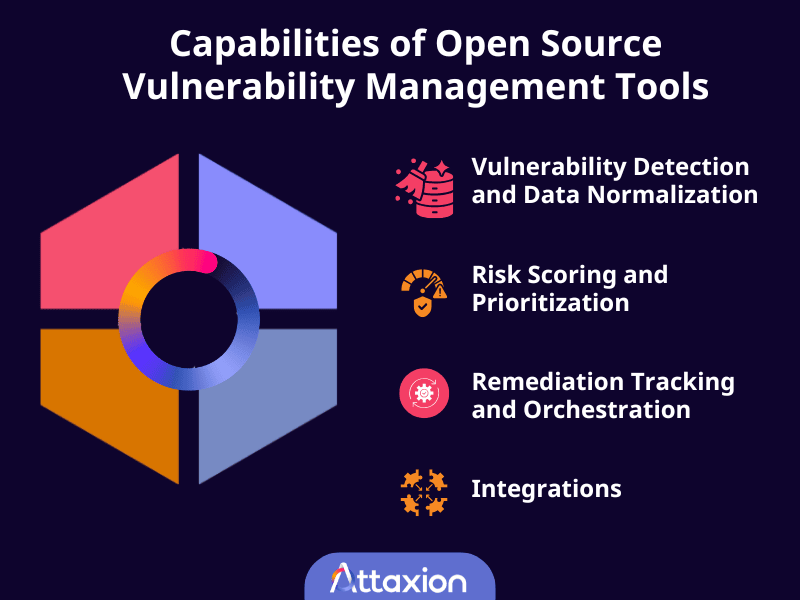
Vulnerability Detection and Data Normalization
Vulnerability management tools may incorporate one or more vulnerability scanners and techniques — such as agent-based scanning for internal assets, agentless scanning for an outside-in perspective on external assets, cloud and container scanning, etc.
Since different scanners format data differently, a management tool normalizes this data into a single, readable language. It removes the noise and deduplicates identical findings so your dashboard doesn’t show the same security issue three times.
A vulnerability management tool should have at least one of the two: either detection, or normalization, or both. Normalization is more typical for the tools that support third-party scanners.
Risk Scoring and Prioritization
You can’t fix all 10,000 vulnerabilities at once, so a vulnerability management tool should be able to help you rank and prioritize by adding context.
Ideally, the tool should calculate risk by looking at three things:
- Severity: How bad are the consequences of exploiting the issue? This is where the Common Vulnerability Scoring System (CVSS) comes into play.
- Exploitability: Is there a public exploit currently being used by hackers in the wild? The CISA Known Exploited Vulnerabilities (KEV) catalog can help determine that, while the Exploit Prediction Scoring System (EPSS) tells you how likely is it that a vulnerability will be exploited in the next 30 days.
- Asset business context: Is this on a public-facing web server or an internal laptop? A medium-severity vulnerability on your primary payment gateway is more dangerous than a critical issue on a locked-down print server.
Remediation Tracking and Orchestration
After identifying and ranking the vulnerabilities, a vulnerability management solution must be able to jumpstart remediation efforts, at the very least by generating tickets with remediation suggestions and sending alerts when vulnerabilities hit a specific risk level, and allowing users to track the remediation progress.
Some advanced platforms with agents can perform automated patch management (where vulnerable systems are automatically updated and patched when possible) and configuration management (where default credentials, unencrypted protocols, open ports, and other configuration issues are identified and assessed for compliance with industry standards).
Integrations
Vulnerability management shouldn’t be another silo your team has to log into. It needs to work well with your existing systems.
Instead of you manually composing long emails for developers, the tool should enable you to quickly push critical findings into trackers such as Jira or GitHub Issues. It should also feed data into a SIEM for the SOC team and ping Slack when an urgent event occurs.
Disclaimer: Since there are very few free and/or open-source tools that combine all of these, some of the tools we list would be more like vulnerability scanners with some additional functionality.
The Best Free and Open-Source Vulnerability Management Tools for 2026
We describe 8 vulnerability management tools below that are available for free, either as a free tier or open-source software. All of these tools are actively maintained by their vendors or independent contributors. Here’s a quick look at each of these tools.
| Tools | Open-source | Scope | Deployment architecture | Integration features |
| Roboshadow | No (has a free tier) | Endpoints, network, external assets, M365 | Cloud-based Uses both lightweight agents and agentless scanning | Limited third-party integrations |
| OpenVAS by Greenbone | Yes | Network, servers, applications | Local Agentless scanner | API access; integrates with SIEM platforms |
| Faraday | Yes | Aggregation of vulnerabilities across tools | Local Doesn’t have built-in scanners | 80+ integrations (Nmap, Burp Suite, etc.); Jira, ServiceNow |
| Nessus Essentials | No (free only for non-commercial use) | Network vulnerability scanning (limited IP range) | Local Agentless | Basic export (CSV/PDF); limited integrations in free tier |
| Nuclei | Yes | Web apps, APIs, infrastructure | Local Agentless | Integrates with GitHub, Slack, Jira |
| OpenSCAP | Yes | OS configuration, compliance | Local Agentless | Integrates with Ansible, compliance frameworks |
| Trivy | Yes | Containers, code repos, IaC, secrets | Local Agentless | Integrates with GitHub Actions, Docker, Kubernetes, AWS, and Azure |
| OWASP DefectDojo | Yes | Aggregation of vulnerabilities across tools | Local or private cloud Doesn’t have built-in scanners | 200+ integrations; Jira, Slack, Microsoft Teams |
1. Roboshadow
Roboshadow’s Cyber Platform Community Edition is often cited as one of the most generous free-tier security tools available, claiming to offer 90% of the platform’s full functionality for free. It is a hosted cloud-based platform that uses a hybrid model, deploying lightweight agents for deep device-level visibility while remaining agentless for external attack surface scans, LAN discovery, and Microsoft 365 auditing.
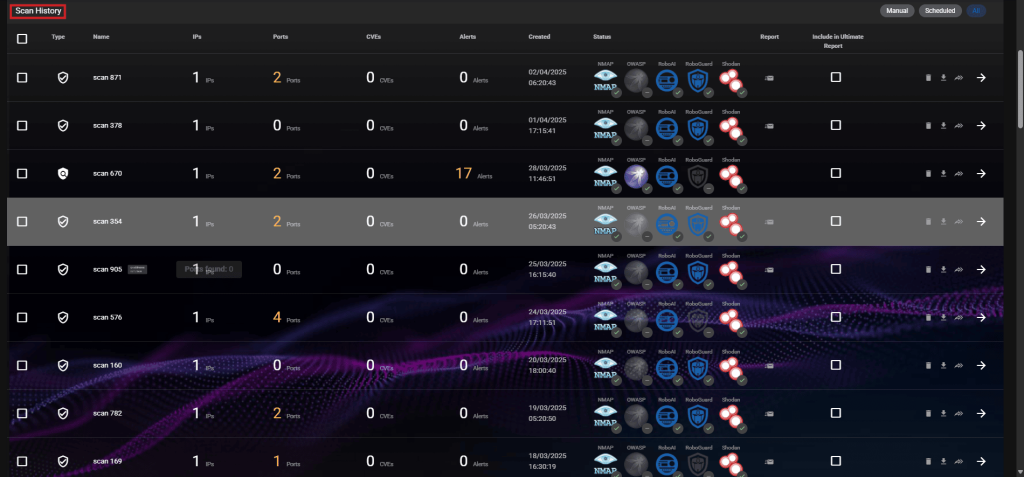
Roboshadow’s vulnerability scanning capability is its standout feature — it includes full TCP port range scans (1–65,535), LAN discovery, SSL scanning, and web application security scanning.
While you can see the vulnerabilities for free, the ability to automatically patch many applications via WinGet (Cyber Heal) costs £1 per device. For prioritization, the tool relies on CVSS and has only recently added EPSS integration.
The Community Edition is built to live inside the Microsoft stack, so deployment and integration are easy for those who use that stack. The platform can detect the presence of third-party antivirus software such as CrowdStrike, Malwarebytes, or Trellix, but the Community Edition can’t access deep telemetry or trigger actions in those tools.
Community users can export their vulnerability dashboards into a PDF or rely on the daily emails. They have to manually create tickets in their helpdesk based on the vulnerabilities flagged in those emails or the reports, since there is no native ticketing feature or integration with third-party ticketing tools.
2. OpenVAS by Greenbone
OpenVAS is the most well-known open-source network vulnerability scanning tool. It is maintained by Greenbone and serves as the engine for their professional-grade security solutions.
OpenVAS is not a hosted tool — you’ll need to deploy it either locally or in the cloud, typically as a virtual appliance or Docker container. It uses an agentless approach, reaching out over the network to scan targets using standard protocols such as SSH or SMB to perform authenticated scans.
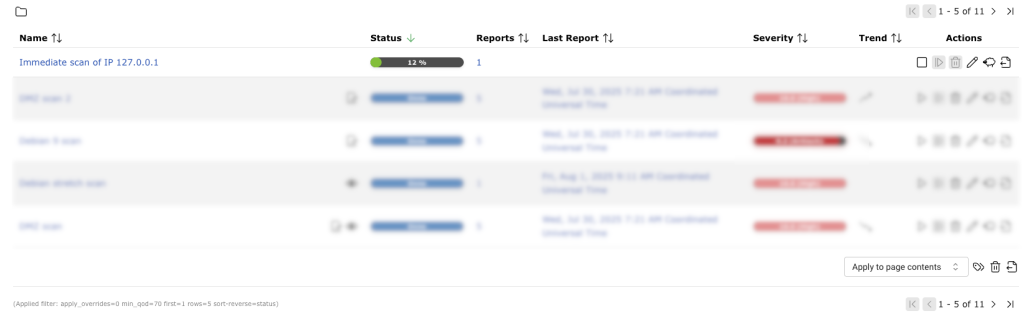
Among its standout features is the Greenbone Community Feed. It provides daily updates of over 100,000 vulnerability tests (NVTs), giving it coverage that rivals many expensive commercial scanners. It relies primarily on CVSS scores for prioritization, though the 2026 Community Feed now allows users to enable EPSS.
While powerful, OpenVAS’s user interface is difficult to navigate, according to some users. It’s significantly slower than some of the commercial alternatives and can be resource-heavy during full-network authenticated scans.
OpenVAS provides detailed remediation advice and links to patches within its reports, but it does not execute the patches. You have to take the report and manually apply the fixes.
The tool provides API-level integrations via the Greenbone Management Protocol (GMP) and doesn’t have native connectors to ticketing systems. If you want to automate ticketing, you must configure custom alerts via HTTP webhooks or use an orchestration tool like DefectDojo and Faraday (we’ll talk about both later in this post), which then handle the connection to your ticketing and alerting systems.
3. Faraday
Faraday is a different beast: it doesn’t have any built-in scanners, but instead, it provides security teams with a collaborative environment where you can import data from over 80 different security tools to see everything in one place.
The Community Edition is typically self-hosted via Docker. However, because it acts as a central hub, both local and cloud-based scanners can push data to it so that it serves as a single source of truth about vulnerabilities for the security team. Faraday uses plugins and integration scripts that fetch data from your scanners and push it to the Faraday dashboard.
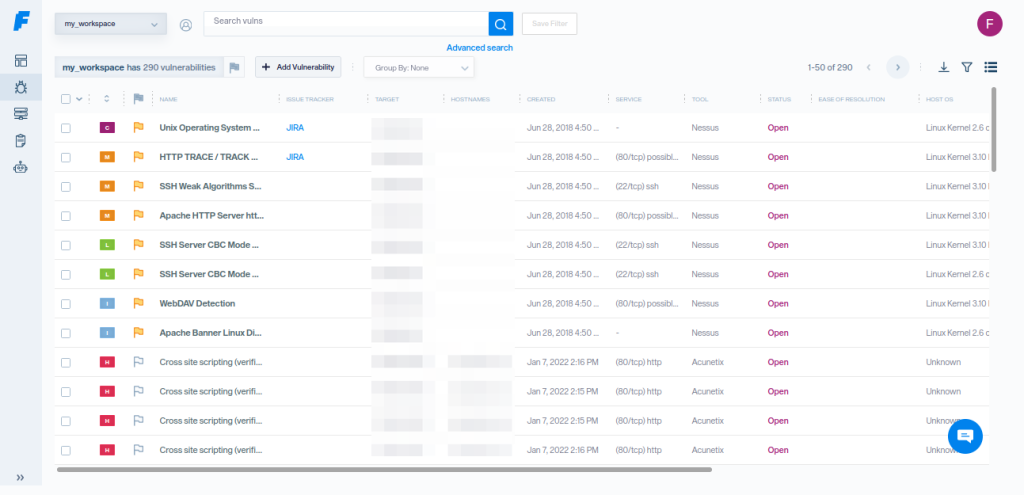
The platform’s strength lies in its Faraday Agent Dispatcher, a middleware application that bridges the gap between third-party security scanners and the Faraday Platform. These agents aren’t endpoint agents but rather integration components that enable teams to automate and schedule security scans using tools such as Nmap and Burp Suite.
Once the scans are finished, it automatically sends all the data back to the central Faraday dashboard, along with the vulnerabilities’ CVSS scores.
Faraday doesn’t have the capability to patch systems directly (which is not a surprise, given that it doesn’t have endpoint agents). Instead, it integrates with ticketing systems such as Jira and ServiceNow, allowing you to assign vulnerabilities to developers or IT staff as tasks.
4. Nessus Essentials
If you’re looking for the industry standard vulnerability scanner, there’s Tenable Nessus, and if we’re talking about free tools, that’s Nessus Essentials. It utilizes the same high-speed, high-accuracy engine as its Professional counterpart, boasting a low false-positive rate.
However, the free version comes with plenty of limitations — vulnerability scanning is limited to 5 IP addresses (down from 16 IPs), and you’ll miss out on features like reporting, data export, and offline mode. Most importantly, perhaps, you cannot use Nessus Essentials for commercial purposes — it’s meant to be a tool for learning vulnerability management.
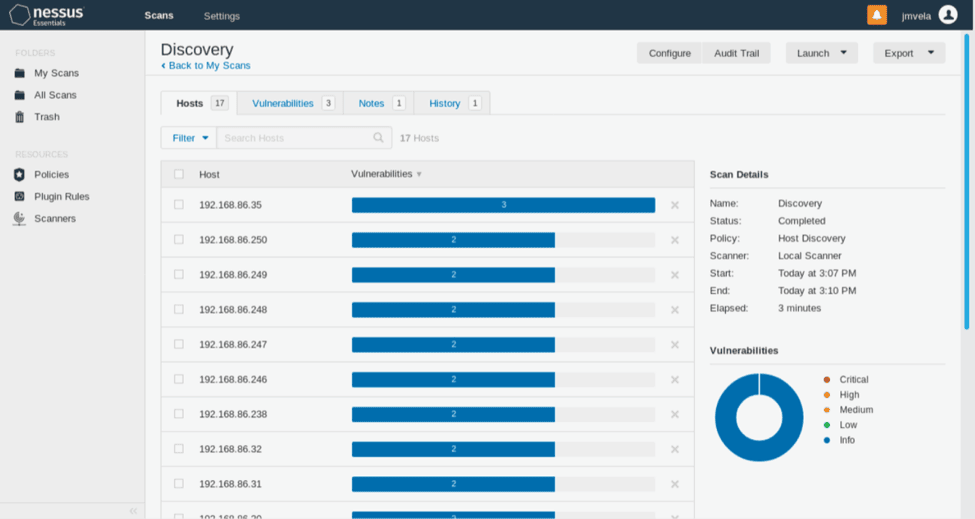
Deployment is straightforward: it’s a locally installed, agentless application for Windows, Linux, or macOS, managed via a web interface on port 8834. Unlike many other Tenable products, this is not a SaaS product. And in the Essentials version of Nessus, native API access is locked, so integration is pretty much non-existent.
What makes Tenable Nessus (including the Essentials version) stand out is the Vulnerability Priority Rating (VPR). Instead of just looking at static CVSS scores, VPR integrates real-time vulnerability intelligence to highlight the 3% of flaws posing the most immediate risk.
As for remediation, the tool provides a “Remediation Summary” that lists the most impactful actions (e.g., “Upgrade Windows to version X”) to lower your risk score, but you must perform these actions manually.
5. Nuclei
Project Discovery’s Nuclei is an agentless, Go-based scanner widely used in automated CI/CD pipelines. Its standout feature is its community-driven YAML templates, which allow it to validate findings, reducing the false positive rate. At the same time, the community nature of templates means that they don’t receive the same level of scrutiny as proprietary scanner detection mechanisms, which, in turn, may increase both false positives and false negatives.
Because Nuclei is often part of a larger pipeline, many users pipe its JSON output into external tools like DefectDojo. These platforms then take the data from Nuclei and combine it with asset criticality (e.g., “is this a production server?”) to determine the final priority for the security team.
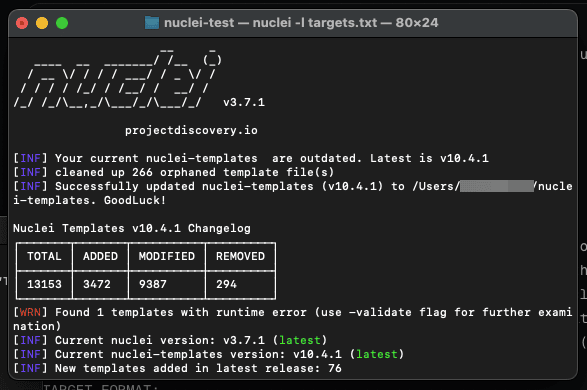
Nuclei doesn’t include built-in integrations. Instead, it relies on output pipelines and companion tools like ProjectDiscovery’s open-source Notify CLI, which can stream scan results to platforms such as Slack, Discord, or webhooks. However, Nuclei has a ticketing module that integrates with GitHub, GitLab, and Jira, allowing you to push tickets to these platforms.
Similarly, for continuous monitoring, users can script scans into CI/CD pipelines or use the free cloud tier of the ProjectDiscovery Cloud Platform, even though — like most free tiers of paid cloud products — it also has a lot of limitations (some of which we covered in our post on ProjectDiscovery alternatives).
6. OpenSCAP
OpenSCAP is a locally deployed suite of tools used primarily for auditing Linux configurations and compliance. It can be used either directly on the host or via SSH.
The tool prioritizes issues by comparing them against compliance baselines (such as CIS or STIGs), giving higher priority to misconfigurations that directly violate your specific security policy.
That said, compliance auditing is obviously its core feature. Unlike other tools that just look for vulnerabilities and unpatched systems, OpenSCAP checks if your configuration is secure (e.g., “Is password complexity high enough?”).
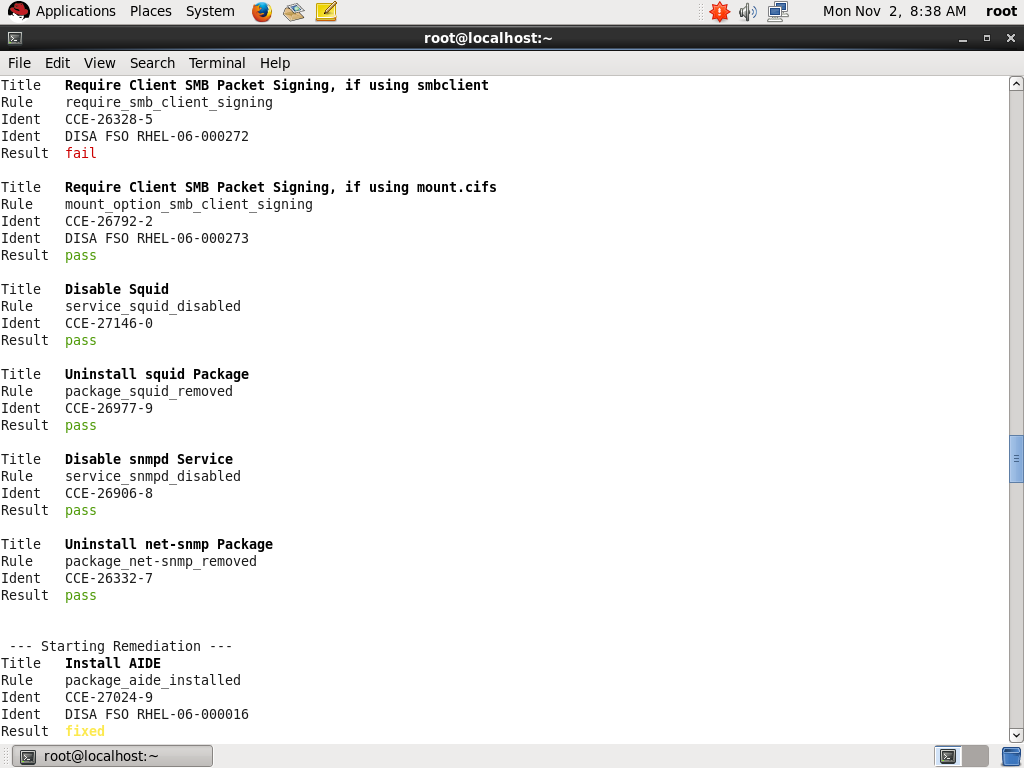
Another feature that sets OpenSCAP apart from other tools on this list is its ability to generate remediation scripts (using bash or Ansible) that you can run to automatically fix the misconfigurations it finds.
However, it’s notoriously difficult to set up and it requires a high level of technical skill. It is also primarily focused on Linux systems, with less robust support for Windows.
7. Trivy
Trivy serves a purpose somewhat different from that of other tools on this list. You use it to scan container images, file systems, and Git repositories for vulnerabilities or leaked secrets, such as passwords. It’s not built for your office network or external assets, so it will not scan printers and Wi-Fi routers or run DAST scans for websites.
Trivy is designed to check for security weaknesses in the code and cloud environments, using CVSS scores and vendor-specific severity ratings to rank risks.
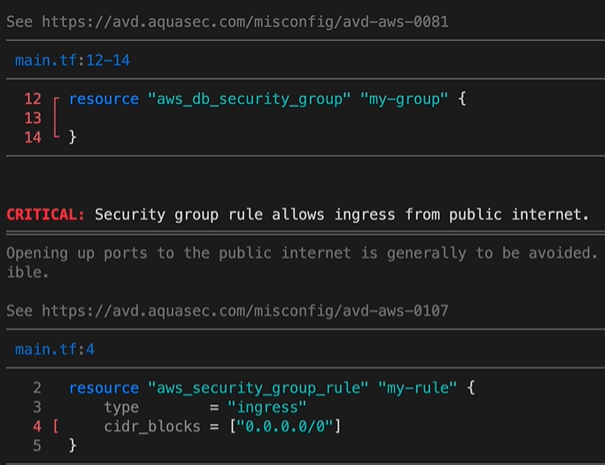
It gives you the exact line number and the library version you need to upgrade to, helping developers fix security vulnerabilities. You can export results in formats like JSON, SARIF, or tables.
Trivy is an agentless, lightweight CLI tool. It runs a scan, gives you a report, and then shuts down. You can run it on your laptop, a build server, or as a sidecar in a Kubernetes cluster. The tool integrates with GitHub Actions and other CI/CD systems, Docker Desktop and Kubernetes for scanning container images, and cloud providers like AWS and Azure.
8. DefectDojo
OWASP DefectDojo is an open-source vulnerability management platform that organizes the results from various security scanners into a single, manageable view. It can be deployed via Docker on-premises or in a private cloud.
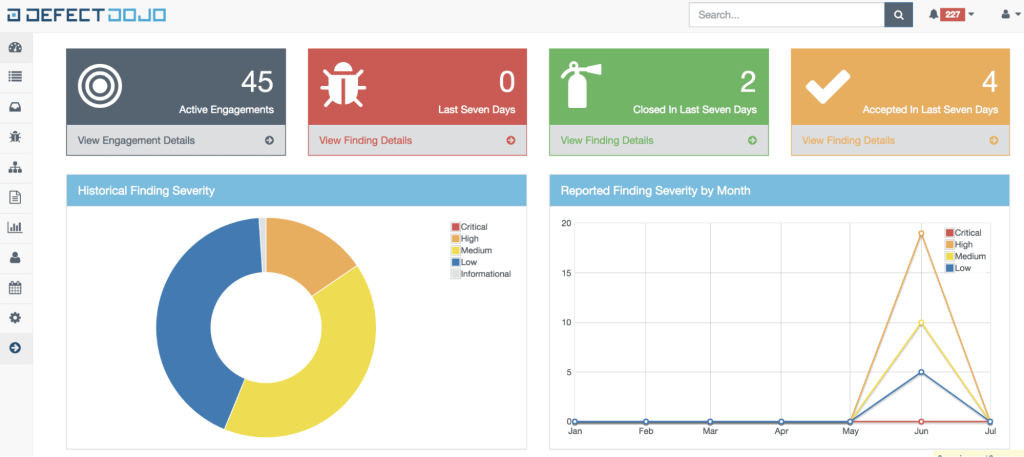
While it does not perform scans itself, it integrates with over 200 different third-party tools, including those such as Nuclei and Trivy, to create some sort of a command center for all the different scanners. One of its standout features is deduplication. If multiple scanners identify the same bug, DefectDojo merges those entries into a single finding. This prevents security teams from being overwhelmed by repetitive alerts and allows them to focus on actual risks.
The platform uses a data model consisting of products, engagements, tests, and findings. This structure helps teams track vulnerabilities across different repositories and endpoints.
It also helps manage remediation workflows by tracking SLAs. For instance, you can set a rule that critical issues must be fixed within seven days. DefectDojo then monitors these deadlines and can push updates to Jira, Slack, or Microsoft Teams.
DefectDojo offers the free Community Edition and the paid Pro versions, with the former having some limitations. For example, the Community Edition requires manual effort to set up connections with the scanners and other tools, while the Pro version offers automation through native connectors. The free version also lacks risk-based prioritization and advanced reporting. Finally, users also complain that support can be slow, even for the paid version.
Open Source Vulnerability Management Tools vs. Commercial Platforms
Choosing between open-source tools and commercial platforms comes down to a trade-off between several factors summarized in the table below.
| Factors | Free and Open-Source | Commercial |
| Cost | $0 for the software; high cost in engineering time | High licensing fees; low manual effort |
| Vulnerability data | Mostly community-driven and public vulnerability database feeds | Aggregated intelligence (public and commercial feeds) |
| Prioritization | Typically CVSS-based | Context-aware (combination of CVSS, CISA KEV, EPSS, asset context) |
| Deployment Model | Mostly self-hosted; agentless or mixed; often requires complex setup | SaaS or hybrid; easy or no deployment; agent + agentless options hosted by vendor |
| Integrations | Often limited. Integrations are often left for the paid version of the tool | Extensive integrations across security, IT, and DevOps ecosystems |
| Reporting | Raw outputs (JSON, CLI, basic dashboards); requires customization | Executive-ready dashboards, risk scoring, and compliance reporting |
- Cost: Open-source software has a $0 price tag for the license. However, the true cost lies in engineering time. Your team spends hours on setup, maintenance, and updates. Commercial platforms may charge high licensing fees, but they reduce manual effort.
- Vulnerability data: Open source gathers data from public and community-driven intelligence sources (CVE, NVD, GitHub), while commercial tools often use these sources as well as proprietary vulnerability databases.
- Prioritization: With open source tools, prioritization is mostly based on CVSS scores. Commercial tools can be more context-aware. They combine CVSS with other data, such as CISA KEV and EPSS, also offering custom vulnerability scoring and bringing in business context. This helps you focus on vulnerabilities that actually pose a risk to your specific assets.
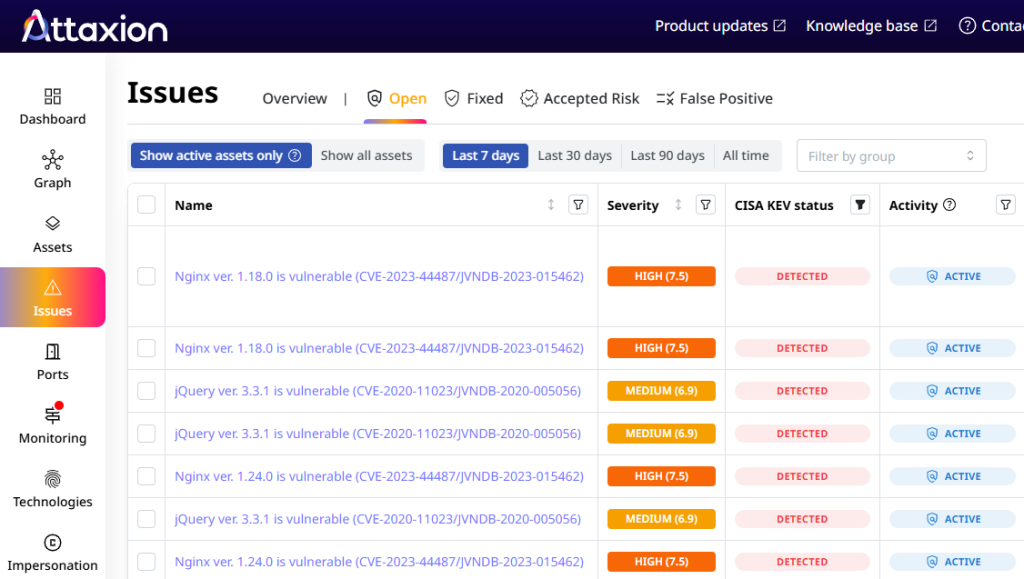
- Deployment model: Most open-source options are self-hosted. This gives you full control, but it requires manual setup and infrastructure management, which usually results in added costs in both infrastructure and personnel. Commercial tools usually follow a SaaS or hybrid model. The vendor manages the deployment, which makes the initial setup much faster and doesn’t require infrastructure maintenance.
- Integration: Integration for open-source tools varies. Some tools have APIs and strong sets of integrations, while others reserve that for paid versions. Commercial platforms are more uniform in that sense: most of them provide extensive integrations across security and DevOps ecosystems. These tools are built to work with the rest of your tech stack right out of the box.
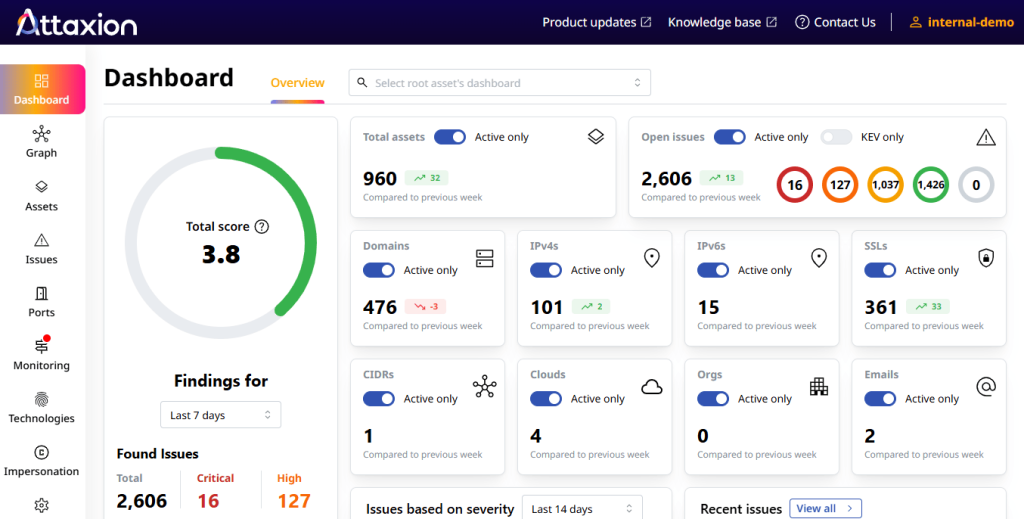
- Reporting: Open-source tools often generate raw JSON or — in the best case scenario — PDF files. You may need a separate tool to make this data readable for leadership and some spreadsheet ninjutsu to calculate the main vulnerability management metrics. Commercial platforms include executive-ready dashboards that provide trend analysis and compliance reporting that is easy to share with stakeholders.
Conclusion
Deciding between open-source and commercial vulnerability management isn’t just about the price tag. After all, we don’t want to trade off security with cost because we all know that a security incident can be much more costly than any security solution.
When Should You Use Free or Open-Source Tools?
- You prefer self-hosted or locally running tools rather than vendor-hosted, cloud options.
- You have hardware and human resources to manage the infrastructure the tools require.
- You are comfortable with the command line and aren’t afraid to dive into configuration files. Even if the tool has a GUI, you’ll still need to spend a lot of time there configuring everything.
- You are okay with troubleshooting everything on your own or with the help of community support.
- You want to build your own security platform and integrate open-source scanners. Essentially, that’s what many commercial tools are — they use open-source scanners and build complex systems with user-friendly interfaces around them.
When Should You Go Commercial?
Sometimes, the free price tag of open source becomes expensive when you calculate the cost of man-hours spent on deployment and maintenance. Commercial solutions make sense when:
- You want things to work right away and don’t want to spend a lot of time configuring the tools and integrating them into your workflows.
- You want a cloud-based solution that scales automatically, rather than managing infrastructure on your own.
- You want stable and responsive support
- You want more context and flexibility for vulnerability prioritization.
Learn how Attaxion can aid your vulnerability management efforts. Start your free trial now.