



Exploitation of vulnerabilities is now the most common initial access vector in breaches, accounting for 31% of all initial access, according to Verizon’s 2026 Data Breach Investigations Report. Vulnerability scanning tools catch these potential attack entry points by checking your environment against known security issues.
Below, we cover what these tools are, the different types on the market, and 11 popular options in 2026.
What Are Vulnerability Scanning Tools?
A vulnerability scanning tool checks systems, networks, or applications against known weaknesses and misconfigurations. It then generates reports so security teams can patch issues before attackers exploit them.
Different scanners use different techniques depending on what they assess. Infrastructure and software scanners may compare detected packages, services, and configurations against vulnerability intelligence (such as NVD) and vendor advisories, while dynamic application scanners interact with running applications and may send test payloads to identify vulnerabilities.
Keep in mind that a scanner and a vulnerability management tool aren’t the same thing, even though people sometimes use the terms interchangeably. A scanner identifies weaknesses and generates a report. A vulnerability management tool ingests scanner data, tracks findings over time, and drives the remediation workflow. Sometimes a vulnerability management tool has a scanner under the hood, while in other cases it connects to third-party scanners. We cover that difference in more detail in our post on free and open-source vulnerability management tools.
Types of Vulnerability Scanning Tools
No single tool can scan all layers of a modern tech stack equally well. Because different environments require different technical approaches to test, vulnerability scanners are usually specialized to target specific areas of your infrastructure.
Below are some of the most common types of vulnerability scanning tools:
| Type | Scope | Example of Vulnerabilities It Detects |
| Container scanners | Container images, registries, base OS layers, and Kubernetes setups | Vulnerable system packages, embedded secrets, outdated base images |
| Code scanners (SAST) | Source code repositories (SAST) | Hardcoded credentials, insecure deserialization, buffer overflows, path traversal |
| Cloud environment scanners | Cloud infrastructure, storage buckets, IAM policies, and virtual assets | Publicly exposed storage buckets, overly permissive access roles, unencrypted assets |
| Database scanners | Database management systems (DBMS), data stores, and access controls | Weak passwords, missing patches, unauthorized user privileges, exposed ports |
| Network scanners | Routers, switches, firewalls, operating systems, and host network services | Open ports, unpatched OS bugs, outdated services, default credentials |
| Web application scanners (DAST) | Live web applications, dynamic websites, microservices, and APIs | SQL injection (SQLi), Cross-Site Scripting (XSS), Broken Access Control |
Some tools combine multiple scanners to provide flexibility.
What to Look For in a Vulnerability Scanner
Many vulnerability scanners follow a workflow that includes asset discovery or target identification, enumeration, vulnerability detection, and reporting. The exact process varies by scanner type. Most scanners follow this basic workflow, so evaluating a tool comes down to how efficiently and accurately it executes these steps for your specific stack. Here are the key features to look for when choosing a scanner:
- Scope: Ensure the scanner natively supports the environments you need to assess, such as network endpoints, web applications, container registries, or multi-cloud infrastructures.
- False positive rate: Look for low noise levels and proof-based validation features so your engineering teams do not waste valuable hours chasing non-existent threats.
- Automated scanning: Depending on your workflow, you may benefit from automated scheduling, trigger-based scans, and continuous asset discovery to assess newly deployed systems as soon as they go live.
- Threat context: Prioritize scanners that allow you to contextualize risk using standard metrics like CVSS alongside threat-intelligence scores like EPSS to highlight likely-to-be-exploited flaws.
- Ease of deployment and maintenance: Choose a deployment model that matches your team’s skills, infrastructure, security requirements, and regulatory obligations. SaaS products can reduce infrastructure maintenance, while self-hosted or on-premises scanners can provide greater control over scanner placement, connectivity, and data handling.
- Reporting and integrations: Verify that the platform supports output formats and integrations your team needs. Blue teams focused on continuous remediation will likely want direct connections into ticketing platforms and CI/CD pipelines to automate fix-and-verify workflows. Red teams often prefer exportable raw telemetry and flexible report generation over integrations with other tools.
- Total cost: Look beyond initial licensing fees to factor in hidden overhead, such as staff time required to configure scanning policies, tune out noise, and maintain local scanner hardware.
11 Popular Vulnerability Scanning Tools in 2026
We split the list into open-source and commercial tools. Each entry covers what type of scanner the tool is, what it does, and where it falls short.
Open Source Vulnerability Scanning Tools
Note that most of the tools below scan infrastructure and web applications and differ from software composition analysis (SCA) tools, which scan open-source dependencies for known CVEs.
1. OPENVAS by Greenbone
OpenVAS is an open-source vulnerability scanner that checks networks and systems for known security flaws, misconfigurations, and exposed services. It is the scanner component of Greenbone Vulnerability Management (GVM) and was originally derived from the Nessus codebase. Greenbone maintains it and uses it as the engine for its commercial products.
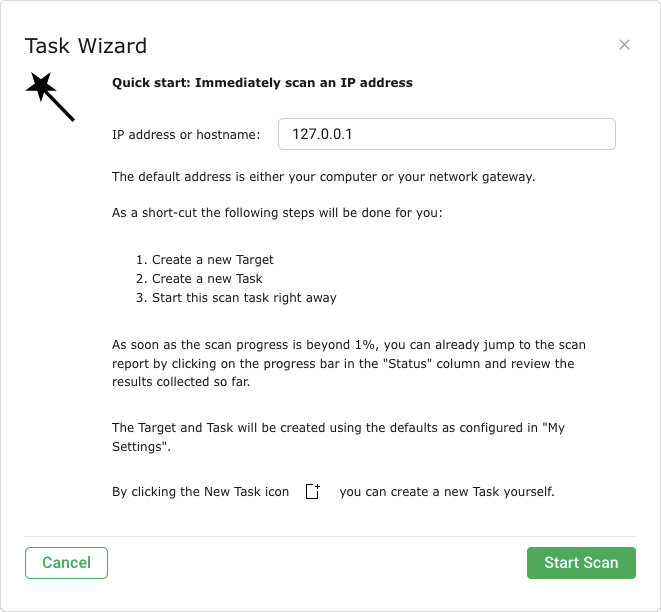
OpenVAS isn’t a hosted tool. You deploy it locally or in the cloud, usually as a virtual appliance or Docker container. It’s agentless and reaches targets over the network, using protocols such as SSH or SMB for authenticated scans.
Its main strength is the Greenbone Community Feed, which delivers daily updates to more than 50,000 vulnerability tests (NVTs). It relies mostly on CVSS scores for prioritization, though the Community Edition also shows EPSS scores and percentiles for CVEs and vulnerability tests.
Pros:
- Free, with an impressive vulnerability test library
- Supports authenticated scans over SSH and SMB
- Reports include remediation advice and links to patches
- Users like that the tool supports many operating systems and can run scans manually or as scheduled jobs
Cons:
- Takes ongoing effort to keep running, since you’re responsible for the host, feed syncs, and updates to multiple GVM components (as users point out)
- The interface is difficult to navigate, according to some users
- Slower than many commercial scanners and resource-heavy during full-network authenticated scans
2. Nuclei
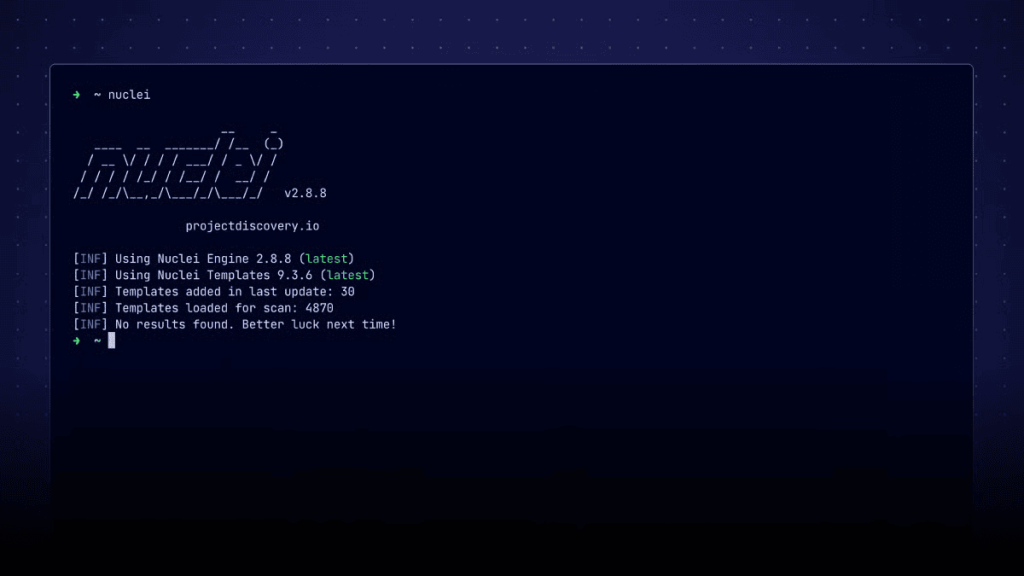
Nuclei by ProjectDiscovery is an agentless scanner that runs checks defined in YAML templates. It covers web apps, APIs, networks, DNS, and cloud configurations, and it’s widely used in automated CI/CD pipelines.
The nuclei-templates repository holds thousands of templates maintained by ProjectDiscovery and the community, including templates tagged for CISA KEV entries. Templates can include matchers that validate a finding, which helps reduce false positives. You can also write your own templates for internal apps or new CVEs.
Pros:
- Fast, lightweight, and easy to script into pipelines
- New CVE templates often appear soon after disclosure
- Custom templates let you test for issues specific to your environment
- Built-in ticketing module for GitHub, GitLab, and Jira
Cons:
- High false positive and false negative rate. Community templates don’t get the same level of review as a commercial vendor’s detection logic, and quality varies between templates
- No built-in local dashboard in the open-source version, though you can upload results to the ProjectDiscovery Cloud dashboard with the -dashboard flag
- Coverage is only as good as community templates allow it to be — if there is no template for a vulnerability, Nuclei won’t see it.
3. Trivy
Trivy by Aqua Security is a container and code scanner. It scans container images, file systems, Git repositories, Kubernetes clusters, and infrastructure as code (IaC) for known vulnerabilities, misconfigurations, and exposed secrets. It isn’t built for your office network or external assets, so it won’t scan routers or run DAST scans against websites.
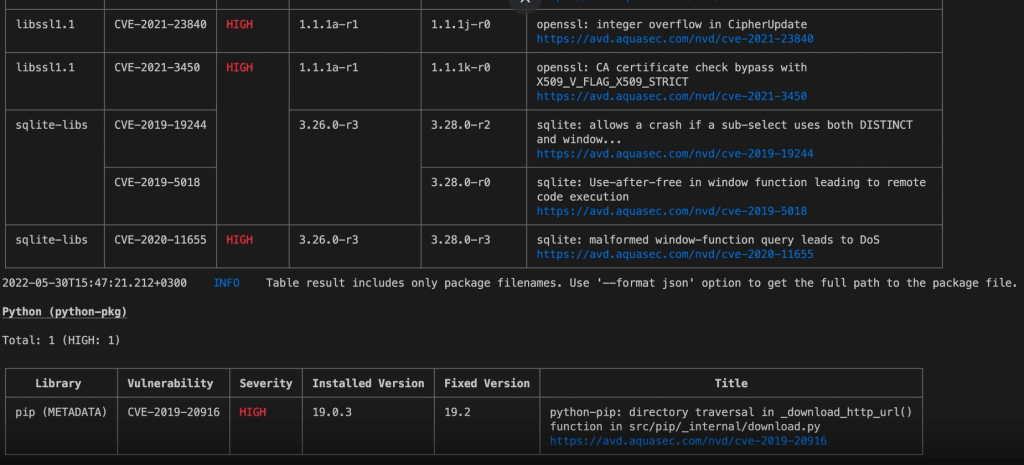
Since Trivy is a CLI tool, it runs a scan, delivers a report, and then shuts down. You can run it on a laptop, a build server, or inside a Kubernetes cluster. It ranks risks using CVSS scores and vendor-specific severity ratings, and exports results as JSON, SARIF, or tables.
Pros:
- Covers container images, file systems, repos, IaC, and secrets in one tool
- Shows the affected package and the fixed version to upgrade to
- Integrates with GitHub Actions and other CI/CD systems, as well as with Docker, Kubernetes, AWS, and Azure
- Quick to install and run
Cons:
- Users complain that default scan configurations generate a lot of noise, so you have to manually tune it.
- Not a general-purpose network or DAST scanner. Trivy focuses on code, containers, repositories, Kubernetes, IaC, and related configuration security issues.
- In March 2026, attackers used compromised credentials to publish a malicious Trivy release and poison tags of the official trivy-action GitHub Action (GitHub advisory). Aqua Security removed the malicious artifacts, but the incident is a reminder to pin actions to commit SHAs.
4. ZAP
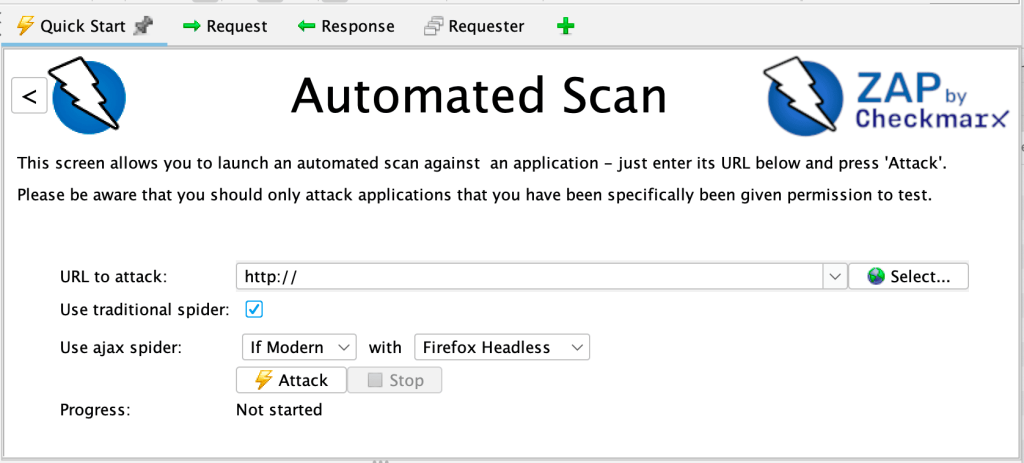
ZAP, which stands for Zed Attack Proxy, is an open-source DAST tool for web applications and APIs only. ZAP was previously a part of OWASP until 2023, but then its core team joined Checkmarx in 2024, so it’s now known as ZAP by Checkmarx. It remains free and open source.
ZAP can work as a proxy between your browser and the target app. It crawls the app with a spider, runs passive scans on the traffic it sees, and runs active scans that send attack payloads to find issues such as SQL injection and XSS. For automation, it offers Docker-packaged scans, GitHub Actions, an automation framework, and a full API.
Pros:
- Free for personal and commercial use
- Covers the OWASP Top 10 and extends through a large add-on marketplace
- Works for both manual testing and automated CI/CD scans
- Backed by a large, active community
Cons:
- Needs manual configuration to get good results, especially for authenticated scans
- Can produce false positives that need manual review
- Users report that the tool has poor documentation, which makes troubleshooting harder.
- Limited coverage of business logic flaws, according to some users
ZAP is also one of the engines under Attaxion‘s hood. Attaxion uses it for web application scanning and adds automation that helps overcome some of ZAP’s limitations, such as feeding it every discovered web asset, running scans continuously, and enriching results with EPSS and CISA KEV data.
5. Nmap + NSE
Nmap is a network discovery and port scanning tool. It finds live hosts, open ports, running services, and service versions. The Nmap Scripting Engine (NSE) extends it with Lua scripts, including a vuln category for vulnerability detection.
Nmap’s own documentation states that it isn’t a comprehensive vulnerability scanner, but NSE can quickly cover major vulnerabilities. For example, Nmap’s developers released a Heartbleed detection script within two days of that bug’s disclosure.
Pros:
- Fast, trusted port and service scanning, including UDP ports
- You can write your own scripts to detect organization-specific issues or newly disclosed vulnerabilities
- Available either as a command-line tool or through Zenmap, its official GUI
Cons:
- Users find the learning curve steep, especially for those who aren’t comfortable with the command line
- Vulnerability coverage is narrow compared to other scanners
- No built-in reporting or prioritization, and users ask for automatic reports
- Scans can take longer than expected
Commercial Vulnerability Scanning Tools
6. Tenable Nessus Professional
Tenable Nessus Professional is a locally installed, agentless scanner that uses thousands of plugins to detect CVEs, outdated software, default credentials, and misconfigurations across operating systems, network devices, and applications. It also runs compliance audits against standards such as CIS benchmarks.
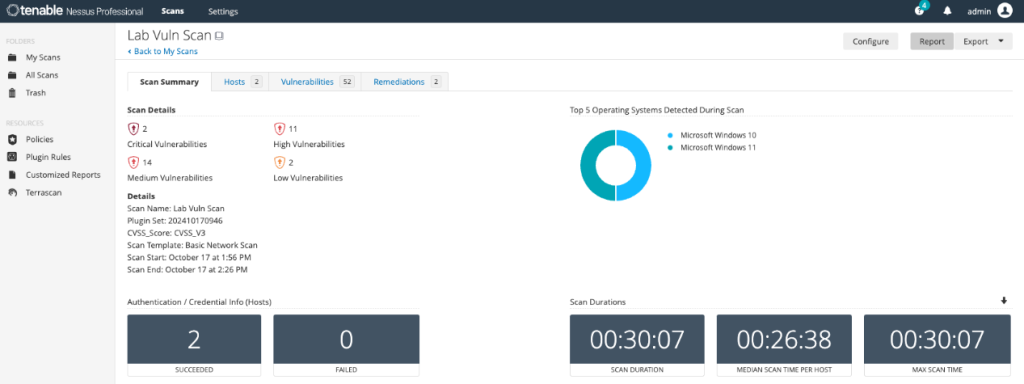
Nessus Professional costs $4,790 per year in the U.S. with unlimited vulnerability scanning. It’s part of Tenable’s broader solution, Tenable One, which is an exposure management platform that combines vulnerability, web app, cloud, OT, and identity data.
Pros:
- Easy to use, with an intuitive interface that allows quick adoption
- Covers a wide range of known CVEs, misconfigurations, and compliance issues
- Actionable remediation guidance for each finding
- Supports both ad hoc and scheduled scans across defined IP ranges
Cons:
- Can produce false positives, and advanced features need technical knowledge
- Slow scanning, when compared to other similar tools, is one of the most common complaints
- Users note that pricing has gone up significantly
7. Rapid7 Nexpose
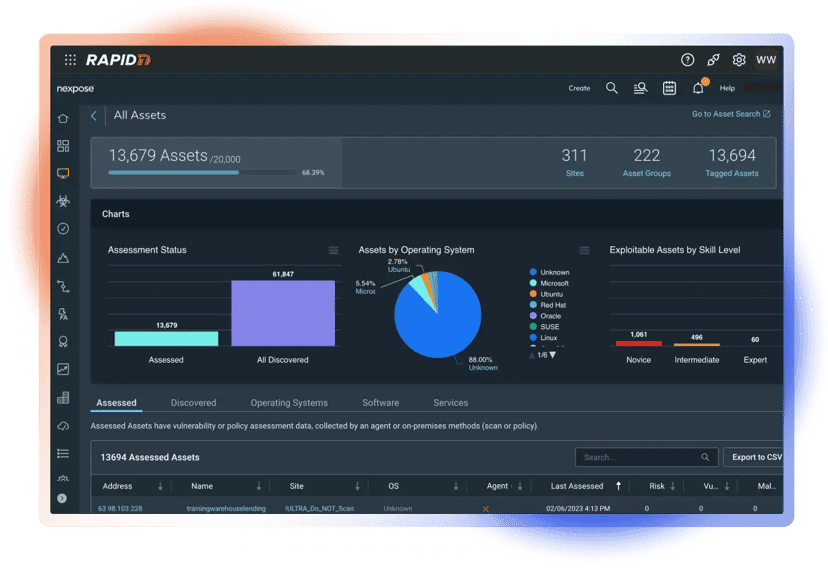
Nexpose is Rapid7’s on-premises network vulnerability scanner and management system, part of the broader Exposure Command solution. Nexpose has a central Security Console that manages assets, reports, and scan templates, and distributed Scan Engines that run the actual scans.
Instead of relying on the 0–10 CVSS scale alone, Nexpose uses Rapid7’s Active Risk Score on a 1–1,000 scale that factors in vulnerability age and the availability of public exploits and malware kits.
Pros:
- Reviewers like the user-friendly interface that even nontechnical users can work with
- Active Risk Score adds exploit and threat intelligence context to prioritization
- Integrates with Metasploit to validate findings
Cons:
- Users report that setup takes time and expertise, and that it’s more expensive than other tools
- The Security Console needs significant system resources and doesn’t run in a container
- Newer features, such as attack surface context, live in Exposure Command rather than Nexpose
8. Qualys Scanner Appliance
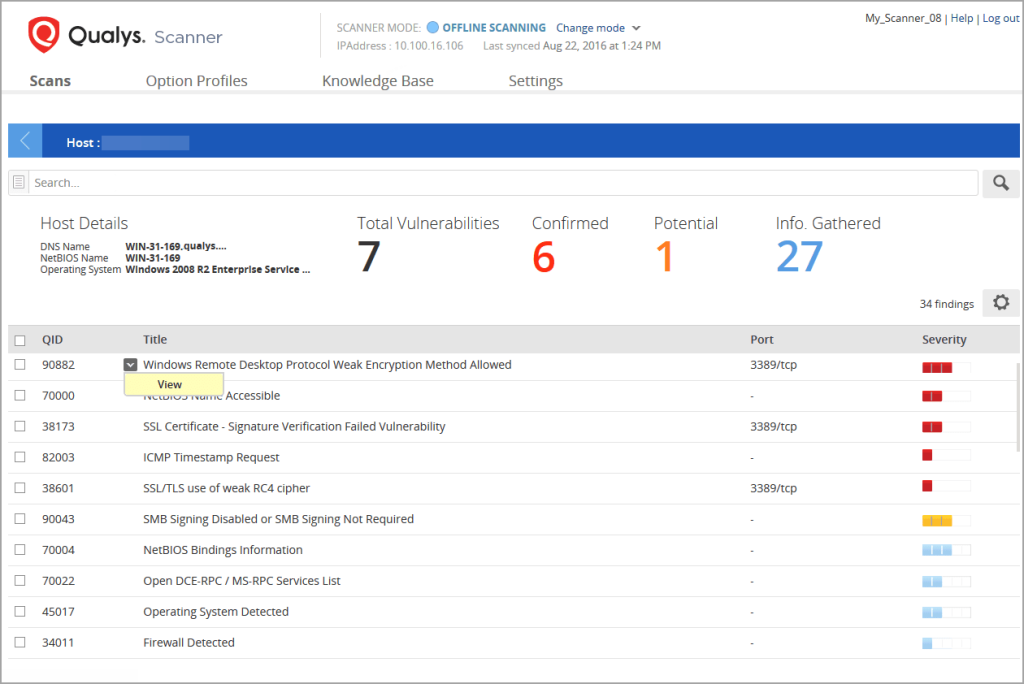
Qualys Scanner Appliance is a hardware, virtual, or containerized appliance that extends the Qualys Enterprise TruRisk Platform into an organization’s internal network. It’s managed from the organization’s Qualys cloud account, and it scans any asset with an IP address, including servers, workstations, and IoT devices. There’s also an offline version for networks with no connection to the internet.
The appliance supports vulnerability management (VM), policy compliance (PC), web application scanning (WAS), network mapping, and PCI compliance scans.
The broader solution is Qualys VMDR (Vulnerability Management, Detection, and Response), which runs on the Enterprise TruRisk Platform. VMDR combines scanner and cloud agent data with asset discovery and TruRisk scoring, which weighs vulnerability severity, threat intelligence such as exploit maturity and active exploitation, asset criticality, and internet exposure.
Pros:
- Scanners update automatically while connected to the platform
- Easy to use, with comprehensive asset visibility, according to reviewers
- Fast vulnerability detection and real-time alerts for critical issues
Cons:
- Not a standalone scanner, since it needs an active Qualys subscription
- Some users find it expensive compared to competitors
- Some users complain about complex setup, complex reporting, and a steep learning curve
9. Burp Suite Professional Scanner
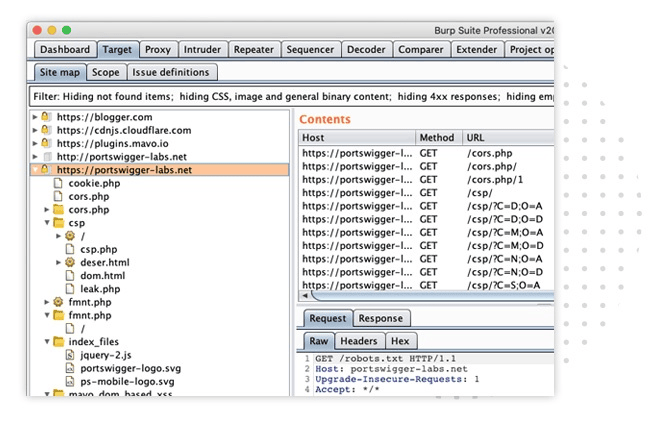
Burp Suite Professional by PortSwigger is a web application penetration testing toolkit with a built-in vulnerability scanner that automatically crawls an app and checks it for issues such as SQL injection, XSS, and server-side request forgery (SSRF).
Burp Suite’s core feature is an intercepting proxy that lets testers view and modify HTTP traffic.
PortSwigger lists Burp Suite Professional at $499 per user per year. Automated scanning at scale is sold as a separate, quote-based product called Burp Suite DAST (formerly Burp Suite Enterprise Edition).
Pros:
- Combines automated scanning with manual testing tools such as Repeater and Intruder
- Burp Collaborator detects out-of-band issues, such as blind SSRF and blind XSS.
- Extensions such as ActiveScan++, JWT Editor, and Autorize add testing depth.
- It has an intuitive interface that reviewers say is easy to set up.
Cons:
- Since it’s licensed per user, some reviewers find the Professional edition expensive
- Resource-heavy during large scans and can crash on lower-spec machines
- Steep learning curve, and manual testing takes experience to use well
- Automated scans can return occasional false positives
10. Invicti Web + API (previously known as Acunetix)
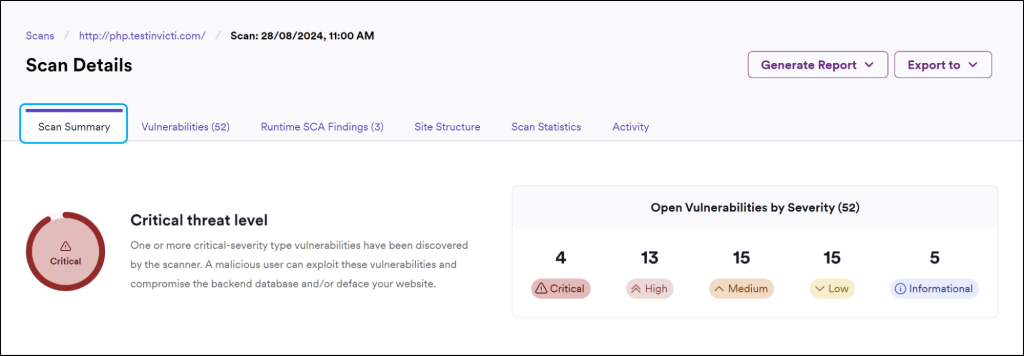
Invicti Web + API, previously known as Acunetix, is a DAST tool with some interactive application security testing (IAST) features. Acunetix and Netsparker were brought together under Invicti Security in 2018, and Netsparker was later renamed Invicti. Acunetix remained for longer, but it is now also being rebranded as Invicti Web + API.
Invicti Web + API scans web apps and APIs using payloads that try to exploit vulnerabilities, not just detect them. This gives it a low false positive rate, and it assigns each finding a confidence rating. It can also discover web apps related to your domains and uses AI-based predictive risk scoring to suggest which sites to scan first.
Pros:
- Accurate, fast vulnerability detection with minimal false positives
- Mature authenticated scanning, including a login sequence recorder, TOTP, OAuth 2.0, and client certificate authentication
- Easy integrations into development workflows
- Detailed reporting that supports compliance work
Cons:
- Expensive, especially for smaller teams
- Common complaints among users involve the tool’s complex setup, heavy resource use, and slow scans on large web apps
- Some users report poor customer support
11. HCL AppScan
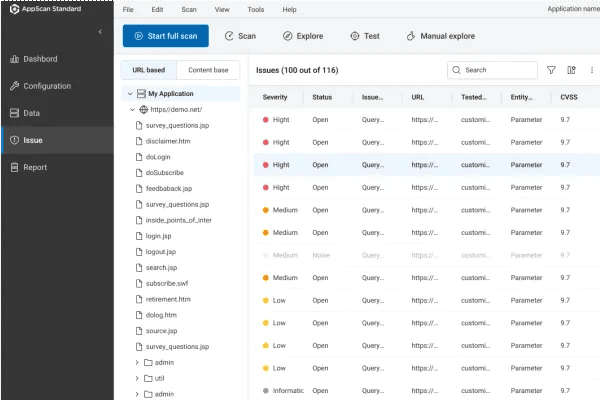
HCL AppScan is an application security testing suite that started at Sanctum and became IBM AppScan after IBM acquired Watchfire in 2007. HCL acquired it in 2019. The product family includes AppScan Standard (a desktop DAST tool), AppScan Enterprise, AppScan on Cloud, and AppScan 360°, a cloud-native platform you can deploy on-premises.
Across the AppScan suite, HCL offers SAST, DAST, IAST, SCA, API security testing, and IaC scanning, with centralized dashboards available in products such as AppScan 360° and AppScan on Cloud.
Pros:
- The tool has templates for compliance needs such as PCI DSS
- It scans multiple websites at the same time
- Detailed remediation steps for each finding
- The tool covers SAST, DAST, and SCA in one suite
Cons:
- Some users find AppScan clunky and resource-heavy, with a steep learning curve and complex setup.
- Users want better handling of false positives and faster scans
- Some users may experience technical issues during intensive scans.
Choosing a Vulnerability Scanner
Most teams don’t rely on just one scanner. They mix and match open-source tools so each one covers what the others miss, write scripts to automate parts of the process, or use a platform that has already done that work for you.
For a low-budget internal security program, OpenVAS, Nuclei, Trivy, and ZAP make a capable open-source stack. OpenVAS covers network hosts, Nuclei handles fast template-based checks, Trivy scans containers and code, and ZAP tests web apps. Together, they provide broad coverage across several layers of the stack.
The trade-off is time — you’ll deploy, maintain, and connect each tool yourself, and you’ll need some open-source vulnerability management tool like DefectDojo to bring the findings together.
An alternative to this is a commercial platform that already has most of it automated and working — and doesn’t cost you an arm and a leg.
How Attaxion Core Can Help
Attaxion Core is an agentless exposure management platform that replaces the manual work of deploying, connecting, and running separate scanners for your internet-facing assets.
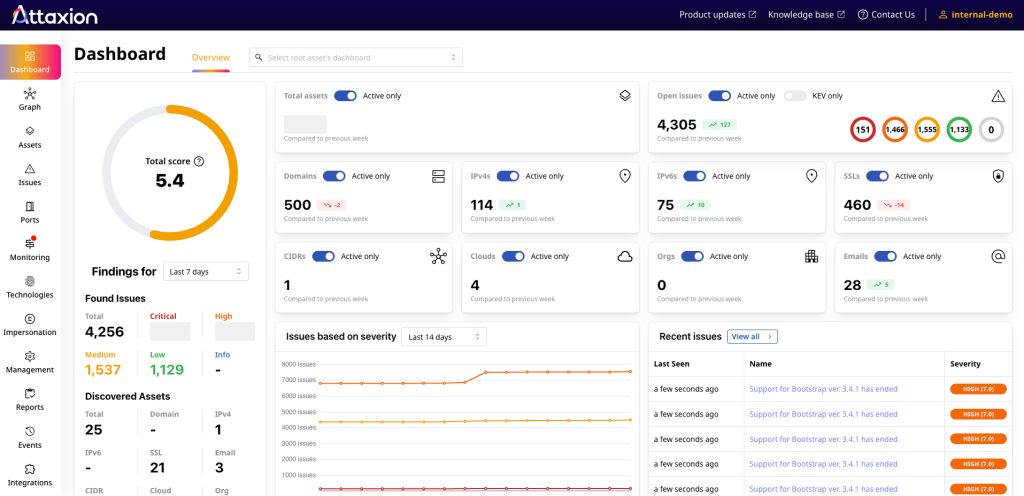
There’s nothing to install. You add a root asset, such as a domain, IP address, organization name, or cloud instance, and Attaxion discovers related domains, subdomains, IP addresses, open ports, SSL certificates, and cloud assets. Cloud connectors for AWS, Azure, Google Cloud, and DigitalOcean pull in your cloud assets.
It then scans each asset continuously, using a port scanner, a web crawler, ZAP for web application scanning, and its own scanning components, so there are no scans to schedule.
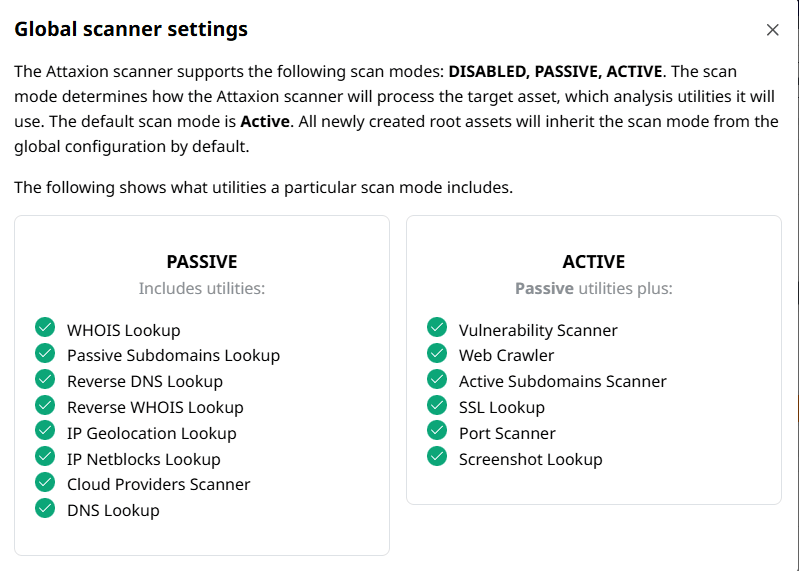
Each vulnerability comes with its CVSS score, EPSS score, and CISA KEV status, plus context from the EUVD and JVNDB databases, so you know what to fix first. Findings reach your team through one-click Jira tickets, Slack and email alerts, and a REST API.
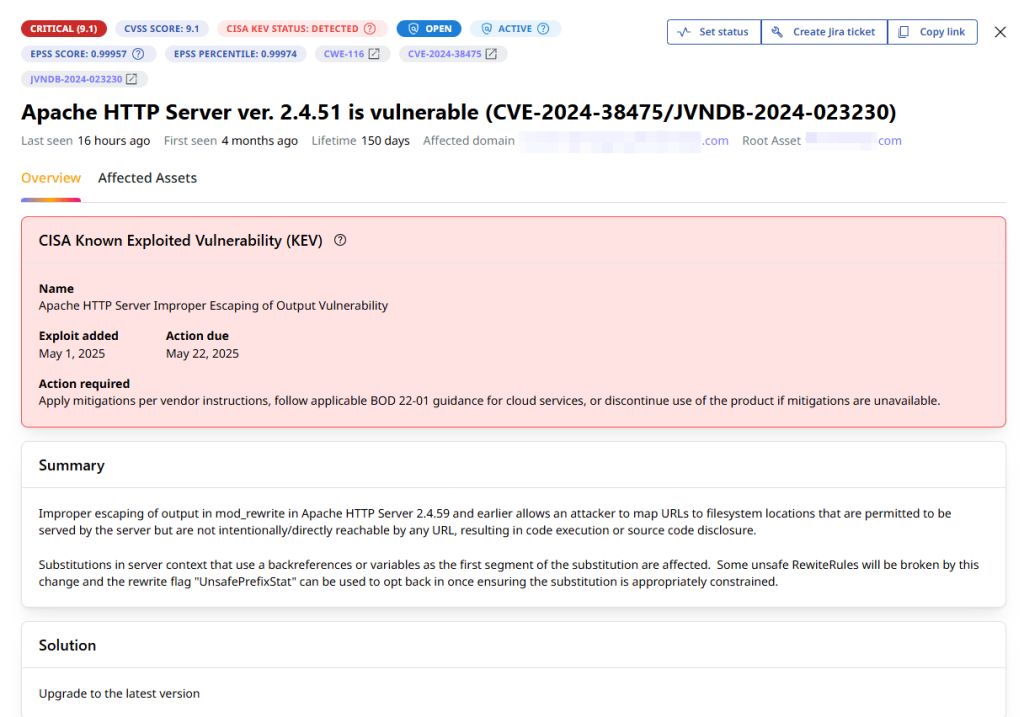
Keep in mind that Attaxion focuses on external assets. For internal hosts, you’ll still want a network scanner such as OpenVAS or Nessus.
See what’s exposed in your external attack surface. Start your 30-day free trial of Attaxion Core.